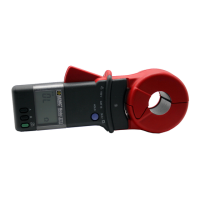
MODEL 3711/3731 SERVICE/CALIBRATION MANUAL Cat. #2117.60/2117.61
v3 – 03/02 - 10 -
PROBE ASSEMBLY:
• To replace the display pull the LCD support from the main board (do not remove the Elastomere
connectors mounted in the supports) and replace the display. The color mark on the display must be
on the right side of the board when viewing the main board with the five (5) button contacts facing up
and at the bottom.
• Replace the 4 screws (V11 to V14) that hold the battery compartment, the board, and the display
mounts together.
• Screw in the bottom screw (V10 on display side of main board) into spacer (C). Wrap the shield
around the main board, positioning the hole in the top of the shield over the spacer (C).
• Plug in the generator board. Be sure all of the pins of the connectors (J4 and J5 are inserted) and
replace the mounting screws (V6 and top screw V10).
• Wrap the remainder of the solder shield around generator board. Solder the electrical shield to the
solder pad of the generator board.
• Plug in the power supply board with the battery connector lead running under the board between the
connector (J6) and the coil. Fasten with the screw (V7).
• Connect the supply connector (J3) from the generator board to the power supply.
• Connect the connector (J2) for the mobile jaw (jaw with trigger) to the generator board connector (J2)
and route the wires between the main board and generator board.
• Slide the board assembly through the mobile jaw while making sure the shield is between the jaw
plastics.
• Connect the connector (J1) for the fixed jaw (jaw without trigger) to the generator board connector
(J1) and route the wires between the main board and generator board.
• Insert the screw (V8) through the mounting screw hole (V10) in order to line up the jaws and the
board for proper insertion into the case.
• Insert the Elastomere keypad (green button for ON/OFF) and the HOLD knob with the spring into the
front case.
• Insert the jaw and board assembly into the case while keeping the case horizontal to avoid losing the
spring.
NOTE: The assembly should not have to be forced into position, but a slight manipulation may be
required.
• Before pushing the board all the way down, insert the beeper wires through the case opening and
solder to the board.
• Press down the board assembly and install the screws (V3, V8, and V9). Check the jaws to be sure
they are lined up perfectly before locking the screws.
• Replace the screws to fasten the lower end of the board (V3 and V5).
• Route the three wires from the generator board to the power supply board between the case and the
battery compartment.
• Insert the spring (R2) into the moving jaw and the other side into the fixed jaw.
• Place the plastic pin into the spring (R1) and insert the open end into the trigger. Slide the end with
the pin into the holding slot of the case.
• Connect the battery and close the back case with the two cover screws (V1 and V2).
CAUTION: Do not pinch the power supply wires between the two covers.


 To Next Page
 Loading...