Need help?
Do you have a question about the Aeonmed Shangrila510s and is the answer not in the manual?
Details Aeonmed's responsibility for security, reliability, and function under specific conditions.
Outlines warranty coverage for materials and techniques, and limits of liability.
Specifies items not covered by warranty, such as freight and fees.
States conditions under which Aeonmed is not responsible for security or reliability.
Procedure for obtaining return authorization, requiring product identification.
User must prepay transportation and insurance charges for returns.
Advises reading instructions carefully, following procedures, and contacting support.
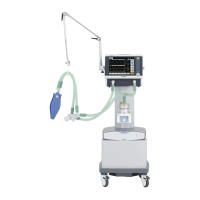
Describes the Shangrila510S ventilator, its features, and control system.
Specifies the intended patient population and use environments for the ventilator.
States that the ventilator currently has no contraindications for use.
Explains various symbols used in the equipment and manual for clear communication.
Highlights potential dangers, hazards, and equipment damage from improper use.
Lists common functions accessible on the ventilator for ease of operation.
Provides definitions for technical terms and abbreviations used in the manual.
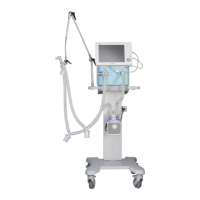
Provides an overview of the Shangrila510S ventilator, showing main components.
Details the components of the front panel, including display, keys, knob, and switch.
Describes the ports and connectors located on the right side of the ventilator.
Identifies features and ports on the left side panel, including battery access.
Outlines components and features present on the back side of the ventilator.
Step-by-step guide for powering on the ventilator and initiating the startup test.
Instructions on how to select and configure ventilation modes and parameters.
Explains different ventilation modes like A/C, SIMV, CPAP, and SPONT.
Details how to adjust and set various ventilation parameters for patient care.
Guides users on configuring alarm limits for critical parameters like MV, Paw, and FiO2.
Covers system-related configurations such as pressure unit, language, and calibration.
Describes the menu for viewing monitored patient parameters like VT, MV, PEEP, etc.
Provides the correct procedure for safely shutting down and disconnecting the ventilator.
Procedure to test the ventilator's response to AC power failure alarms.
Covers tests for apnea, external power failure, and airway pressure alarms.
Steps to test the breathing system, including tidal volume and trigger function.
Verifies the SIGH mode function, checking tidal volume changes during operation.
Guides on performing system calibration as per the manual's specifications.
Instructions for connecting the external power adapter and ensuring proper power supply.
Details on connecting gas supplies and patient circuits for safe and effective operation.
Describes the process of powering on the ventilator and initial checks.
Provides guidelines and procedures for cleaning, disinfecting, and sterilizing the ventilator and accessories.
Outlines the policy for equipment repair, emphasizing authorized service.
Presents a schedule for routine maintenance tasks and intervals.
Step-by-step instructions for safely replacing fuses in the ventilator.
Guidelines for battery charging, usage, and replacement to ensure continuous operation.
Explains alarm priorities, sounds, prompts, and lamp indicators.
Lists specific alarm messages, their definitions, priority, type, and operator actions.
Provides guidance on diagnosing and resolving common ventilator issues and symptoms.
Lists applicable standards and device classification according to medical directives.
Details the physical dimensions, weight, power cord, and screen specifications.
Specifies operating, storage, and transport conditions for temperature, humidity, and pressure.
Covers technical parameters like compliance, resistance, gas supply, and power.
Information on alarm silence/reset functionality and sound pressure levels.
Illustrates the functional diagram of the ventilator's pneumatic system.
Lists key performance parameters including system performance and ventilation modes.
Details the range, resolution, and accuracy for setting ventilation parameters.
Specifies the accuracy for monitored parameters like VT, ftotal, and Ppeak.
Outlines the ranges and accuracy for setting alarm limits for various parameters.
Explains how changes in tidal volume and FiO2 affect pressure readings.
Lists the various accessories provided with or compatible with the ventilator.
Provides important information regarding electromagnetic compatibility and precautions.
 General
| Model | Shangrila 510s |
|---|---|
| Brand | Aeonmed |
| Oxygen Flush | Yes |
| Waveforms | Pressure, Flow, Volume |
| Ventilation Modes | VCV, PCV, SIMV |
| Tidal Volume | 20-2000 mL |
| FiO2 Range | 21%-100% |
| Pressure Support | 0 ~ 60 cmH2O |
| Power Supply | AC: 100 ~ 240 V, 50/60 Hz |


 To Next Page