If you’re using a Z-Stick:
1. If your Z-Stick is plugged into a gateway or a computer, unplug it.
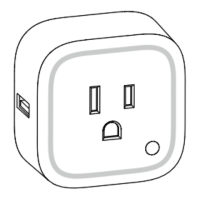
2. Take your Z-Stick to your Smart Switch.
3. Press the Action Button on your Z-Stick.
4. Press the Action Button on your Smart Switch.
5. If your Smart Switch has been successfully removed from your network, its RGB
LED will remain colourful gradient status. If the removal was unsuccessful, the RGB
LED will still be solid (Energy mode state when the output is on or Night light mode
state when the output load is off), repeat the instructions from step 3.
6. Press the Action Button on the Z-Stick to take it out of removal mode.
If you’re using a Minimote:


 To Next Page