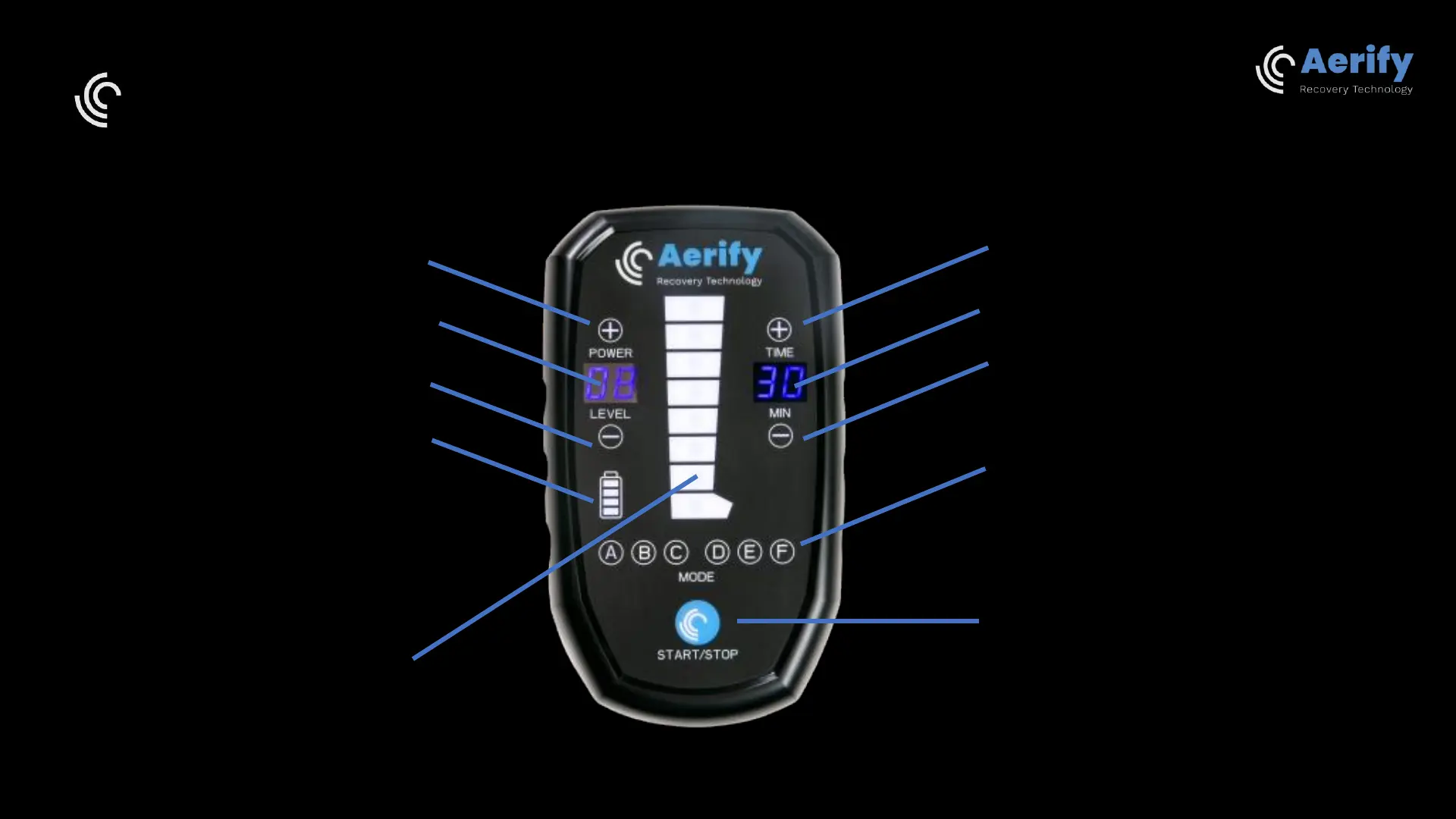
Aerify Charge interface
Press + to add more time to the session
Remaining session time (minutes)
Press - to decrease the time of the session
Press on the letters A to F to choose one of
six pre-programmed massage modes
Start/Stop the session
Press + to add more pressure power
Current pressure level (1 to 16)
Press - to decrease the pressure level
Battery level indicator
The 8 air chambers of the boots.
Indicator of air inflation (flashing).
Press and select or deselect an air chamber for
the recovery session.



 To Next Page