10
1.7
1
2
3
Before any cleaning and maintenance operation,
disconnect the unit from the mains by switching off
the main switch.
Wait until the parts have cooled down to avoid getting
burned.
Do not use abrasive sponges or abrasive or corrosive
detergents to avoid damaging varnished surfaces.
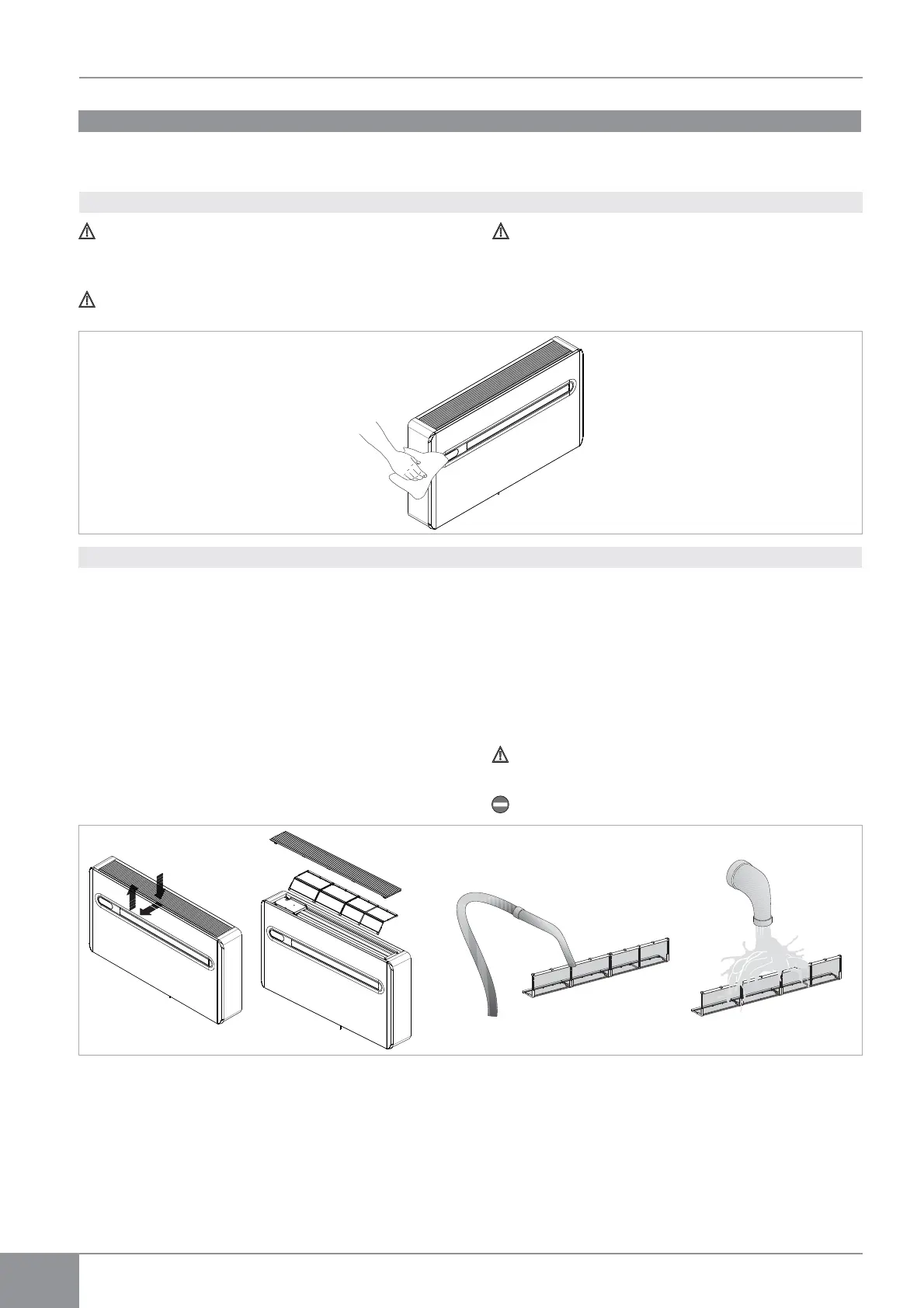
When necessary, clean the external surfaces with a soft
damp cloth.
The air conditioner you have bought has been designed to
keep maintenance operations to a minimum, in fact, they
only include the following cleaning operations:
- Clean the air filter after a period of continuous use
and according to the concentration of impurities in the
air, or when you wish to start-up the appliance after a
period of inactivity.
The filter is placed in the top part of the appliance.
To extract the filters:
- open the grid and remove it;
- extract the filters by lifting them;
- remove the dust from the filter with a vacuum cleaner
or by washing it in running water without using
detergents or solvents and leave to dry;
- put the filters back on top of the batteries, taking care
to position them correctly;
- put the grid back.
Check that the panel is mounted correctly after
cleaning operations.
Using the appliance without the net filters is prohibited
The air conditioner you have bought has been designed to
keep maintenance operations to a minimum, in fact, they
only include the following cleaning operations.
Periodic Maintenance
Cleaning filtering seats
External cleaning



 To Next Page