19
Image Procedure
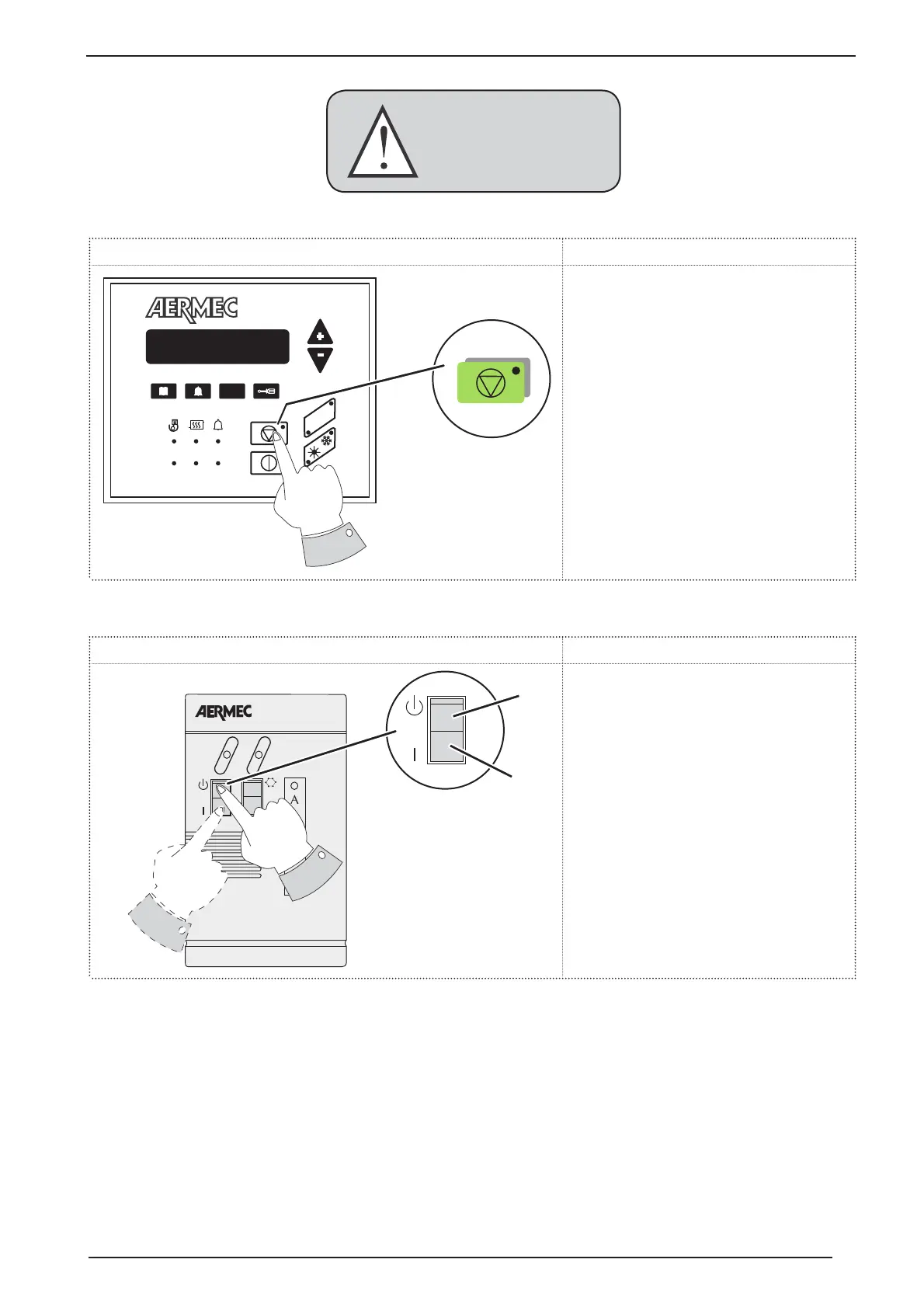
To reset the unit on board the machine af-
ter an alarm, press the specified key. Once
pressed, the unit will restart automatically
and save the alarms in the history (alarm
history).
Image Procedure
To reset the unit from a remote panel after
an alarm, press the OFF (0) key and the key
ON (1). Both operations must carried out in
5 seconds.
M10.3. anual reset on board the machine
M10.4. anual reset from remote panel
SET
C1
C2
R
L
R
R
WARNING
Repeated and consecutive
manual resets may seriously
damage the unit.
ON
OFF


 To Next Page