3-14 Subject to Export Control, see Cover Page for details.
3-3-4. HANDLE REPLACEMENT
DESCRIPTION
This procedure is used to replace the handle(s) on the 3500 / 3500A.
REMOVE
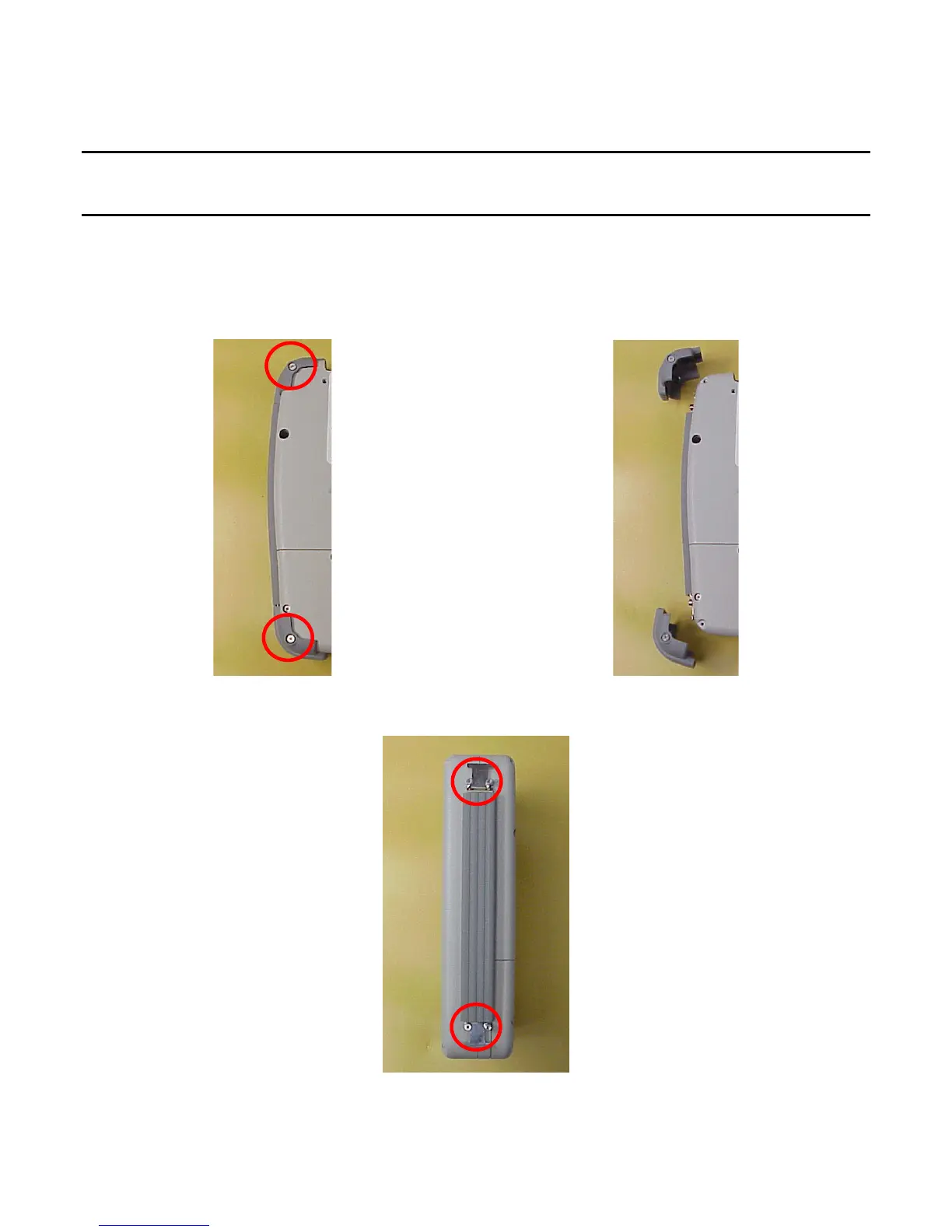
1. Fully loosen the captive screws (on each side of the bumper) in the two bumpers (on the
right or left side of the 3500 / 3500A) and remove the bumpers from the 3500 / 3500A.
2. Remove the four shoulder bolts securing the Handle to the 3500 / 3500A and remove the
Handle.













 To Next Page