C-6 Subject to Export Control, see Cover Page for details.
C-3-2. CONFIGURATION FOR RS-232
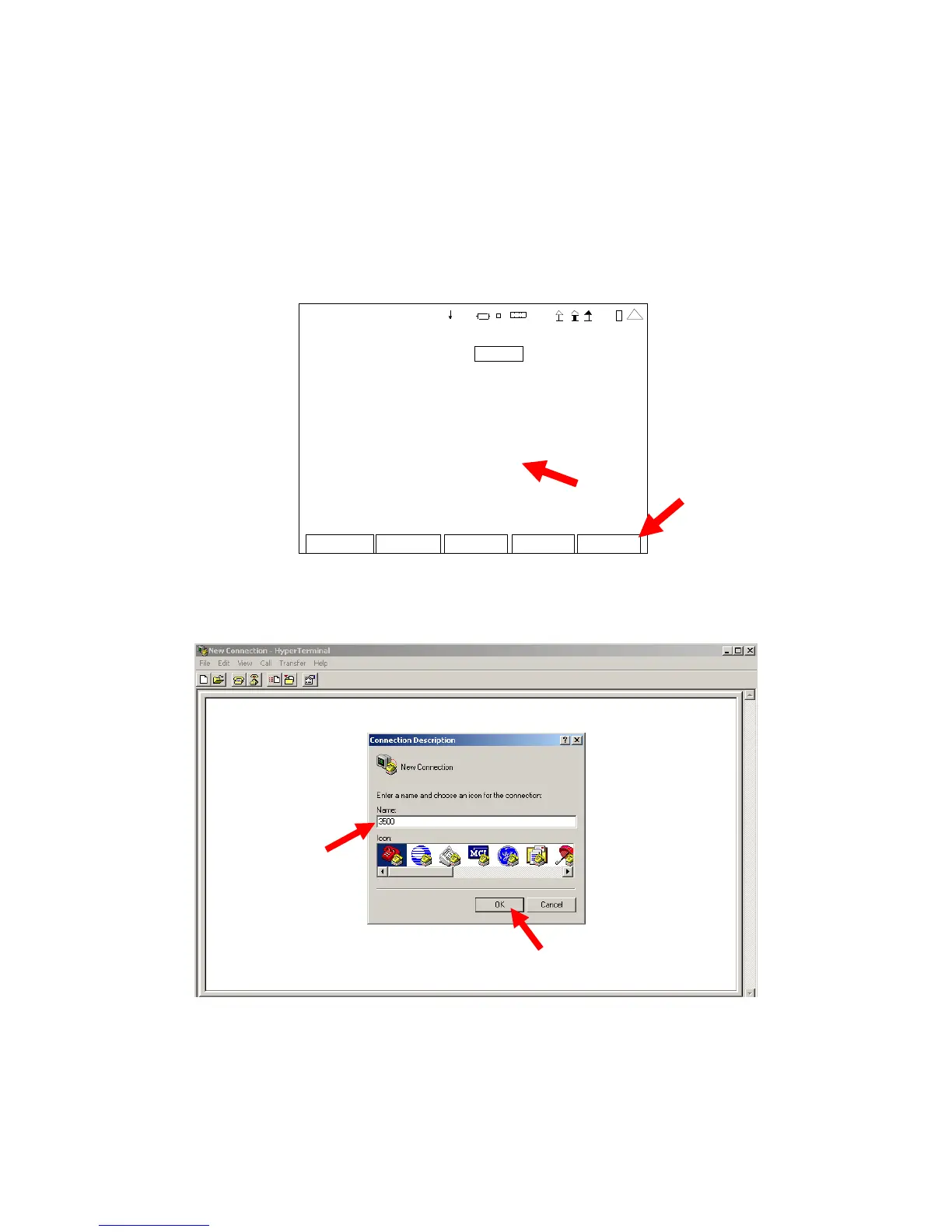
1. Connect RS-232 Cable to the RS-232 Connector on the Breakout Box and to the RS-232
Connector on the PC.
2. Access the 3500 / 3500A Remote Setup Screen and select the RS-232 selection. (Refer to
para 2-2-7A for the Remote Setup Screen Field settings.) Select the settings shown and
ensure the ‘Port Currently Active’ field is set to “RS-232.” Press the “Config” F5 Key to
re-establish the 3500 / 3500A to the new screen settings.
Edit Return
Co nfi
REMOTE
Config Port: RS-232
RS-232 Ba ud: 11520 0
RS-232 Parity: No ne
RS-232 #Dat a: 8
RS-232 #S top: 1
RS-232 Flow: XON/OFF
RS-232 Echo : On
Port Currently Active: RS-232
41 20 29
3. On the PC, open HyperTerminal and create a new connection. Select “OK.”













 To Next Page