EasyManua.ls Logo

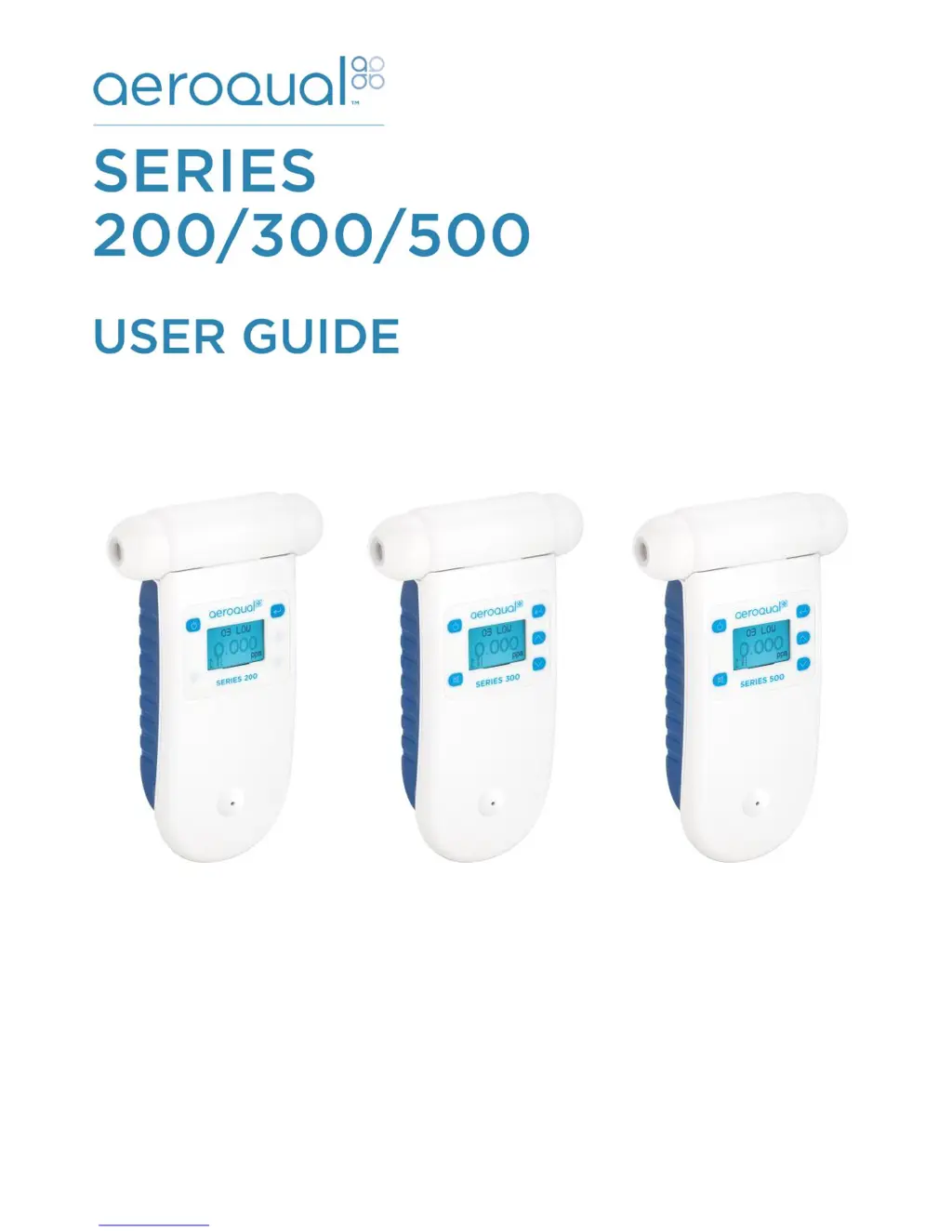
Aeroqual 200 series - User Manual

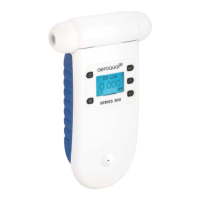
Aeroqual 200 series
56 pages
Print Icon
To Next Page IconTo Next Page
Loading...
Aeroqual Limited
460 Rosebank Road, Avondale
Auckland, New Zealand
t +64 9 623 3013
f +64 9 623 3012
e technical@aeroqual.com
aeroqual.com

Other manuals for Aeroqual 200 series

Questions and Answers

  • J
    Jason WilliamsAug 1, 2025
    What to do if my Aeroqual Monitor has no power?
    • M
      Michelle HansenAug 2, 2025
      If your Aeroqual Monitor isn't receiving power, there are several potential causes. First, check if the lead connection is broken and reconnect the power lead. If that doesn't work, the power supply may have failed, requiring you to replace the 12V DC power supply. Alternatively, the battery might be flat, so try recharging it. In some cases, the S200 unit or the sensor head might be damaged, necessitating replacement of the unit or the sensor head.
  • M
    Matthew HensonAug 7, 2025
    Why is my Aeroqual Monitor reading unstable?
    • D
      Daniel HowardAug 7, 2025
      An unstable reading on your Aeroqual Monitor can stem from several factors. It could be due to an unstable power supply, in which case you should install a stable one. The power supply's current rating might also be incorrect, so ensure you install one with the correct rating. High local airflow or fluctuating environmental conditions can also cause instability; try reducing the airflow and environmental fluctuations.
  • T
    Travis GonzalezAug 11, 2025
    What to do if my Aeroqual Monitor reading is higher than expected in the presence of sensor gas?
    • S
      Sandra MoonAug 11, 2025
      If your Aeroqual Monitor displays a higher than expected reading, first, verify the calibration of the gas generator. If the gas generator is properly calibrated, the issue might be the presence of an interfering gas. In this case, move the sensor to clean air and check the reading upon exposure to a known gas concentration. Another possibility is that the sensor calibration has been lost, requiring you to replace or refurbish the sensor.
  • C
    Cathy RobertsAug 22, 2025
    Why is my Aeroqual Monitor reading high under zero gas conditions?
    • S
      Stephen PittmanAug 22, 2025
      If your Aeroqual Monitor is reading higher than expected even when there's no gas present, it could be due to a higher than normal background gas level. Try moving the sensor to clean air and rechecking the baseline. Another cause might be an interfering gas; again, move the sensor to clean air and recheck the baseline. If these steps don't resolve the issue, the sensor itself might be damaged and require replacement.
  • Y
    ymarquezAug 27, 2025
    How to fix sensor failure when the sensor is new in Aeroqual Monitor?
    • B
      brandonosborneAug 27, 2025
      If you're experiencing sensor failure with a new sensor in your Aeroqual Monitor, it might not have warmed up sufficiently. Try running the sensor on full power for 24-48 hours. Alternatively, the air might be contaminated, so move the sensor to a cleaner environment and check the reading. If neither of these solves the problem, the sensor may be damaged and need replacing.
  • T
    Tyler DelacruzNov 15, 2025
    What to do if my Aeroqual Monitor reading is lower than expected reading in the presence of sensor gas?
    • K
      Kevin FrancoNov 15, 2025
      If your Aeroqual Monitor shows a lower than expected reading when sensor gas is present, there are several potential causes to investigate. Begin by checking the calibration of the gas generator. If the generator is properly calibrated, inspect the sensor inlet for contamination and clean the filter and mesh. A failed sensor fan could also be the culprit, requiring sensor replacement. An interfering gas might be present, so move the sensor to clean air and check the reading upon exposure to a known gas concentration. If the gas is reactive and decomposes before detection, move the monitor closer to the gas source. For ozone sensors, high local airflow can be an issue; for VOC and ammonia sensors, low airflow can cause this problem, so modify the airflow around the sensor head. Finally, the...

Summary

Monitor Components

Quick Start Guide

Connecting the Battery

Steps to connect the battery to the monitor.

Charging the Battery

Instructions and status indicators for charging the battery.

Connecting the Sensor Head

Steps for correctly connecting the sensor head to the monitor.

Sensor Heads

Monitor Operation

Powering On;Off and Standby

Instructions for turning the monitor on, off, and entering standby.

Menu Functions

Navigation and overview of the monitor's menu structure.

ZERO CAL; CALIBRATE

Procedure for zero and span calibration.

ALARM POINTS (Series 300 & 500)

Setting high and low alarm concentration levels.

LOGGING SETUP (Series 500)

Configuring data logging frequency and clearing logs.

Aeroqual Monitor Software (Series 500)

Connect to Monitor

Steps to connect the Series 500 monitor to a PC.

Monitor Setup

Configuring monitor settings using the PC software.

PC Data Logging

How to log data directly from the monitor to a PC.

Downloading Logged Data from Series 500

Procedure to download data from the monitor's memory.

External Control Wiring (Series 300 & 500)

Wiring for Alarm

How to wire the monitor for alarm outputs.

Calibration

Bump Test

How to perform a quick sensor response check.

Zero Calibration

Procedure for calibrating the sensor to zero gas.

Span Calibration (Series 300 and 500)

How to adjust the sensor gain using span gas.

Span Calibration Procedure

Step-by-step guide for span calibration.

Health and safety during calibration

Precautions and safety guidelines for calibration.

Flammability of combustible gases

Hazards related to flammable calibration gases.

Specifications

Optional Accessories

Troubleshooting

Technical Support

Care and Maintenance

Aeroqual 200 series Specifications

General IconGeneral
BrandAeroqual
Model200 series
CategoryMeasuring Instruments
LanguageEnglish

Related product manuals