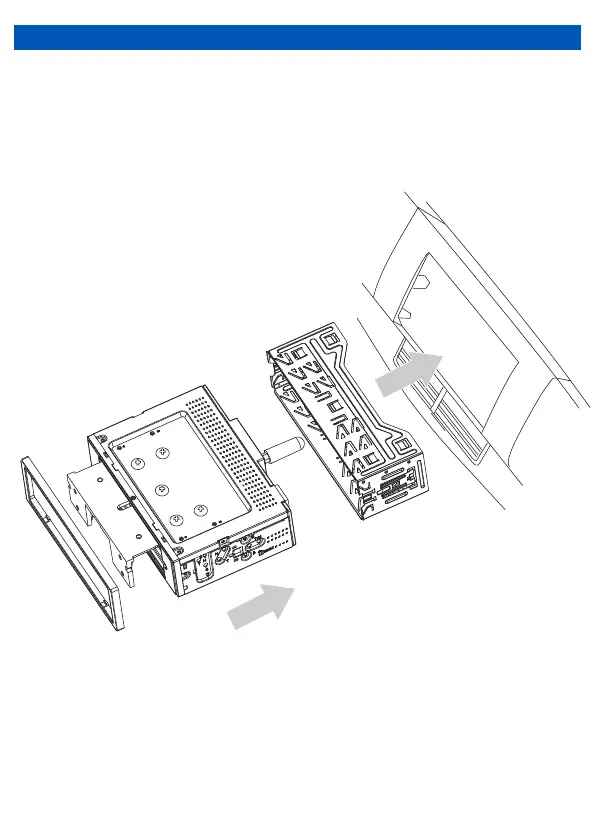
Step #2 Install Mounting Sleeve and Trim Ring
1) Install the mounting sleeve into a dash kit (sold separately) or dash opening, bending the
tabs to secure the mounting sleeve.
2) Connect the wiring harness, microphone and antenna to the chassis of the headunit.
3) Snap trim ring into place making sure the notched area is on the bottom.
4) Slide the head unit into the mounting sleeve to secure.
INSTALLATION
2


 To Next Page