9
in.k600™
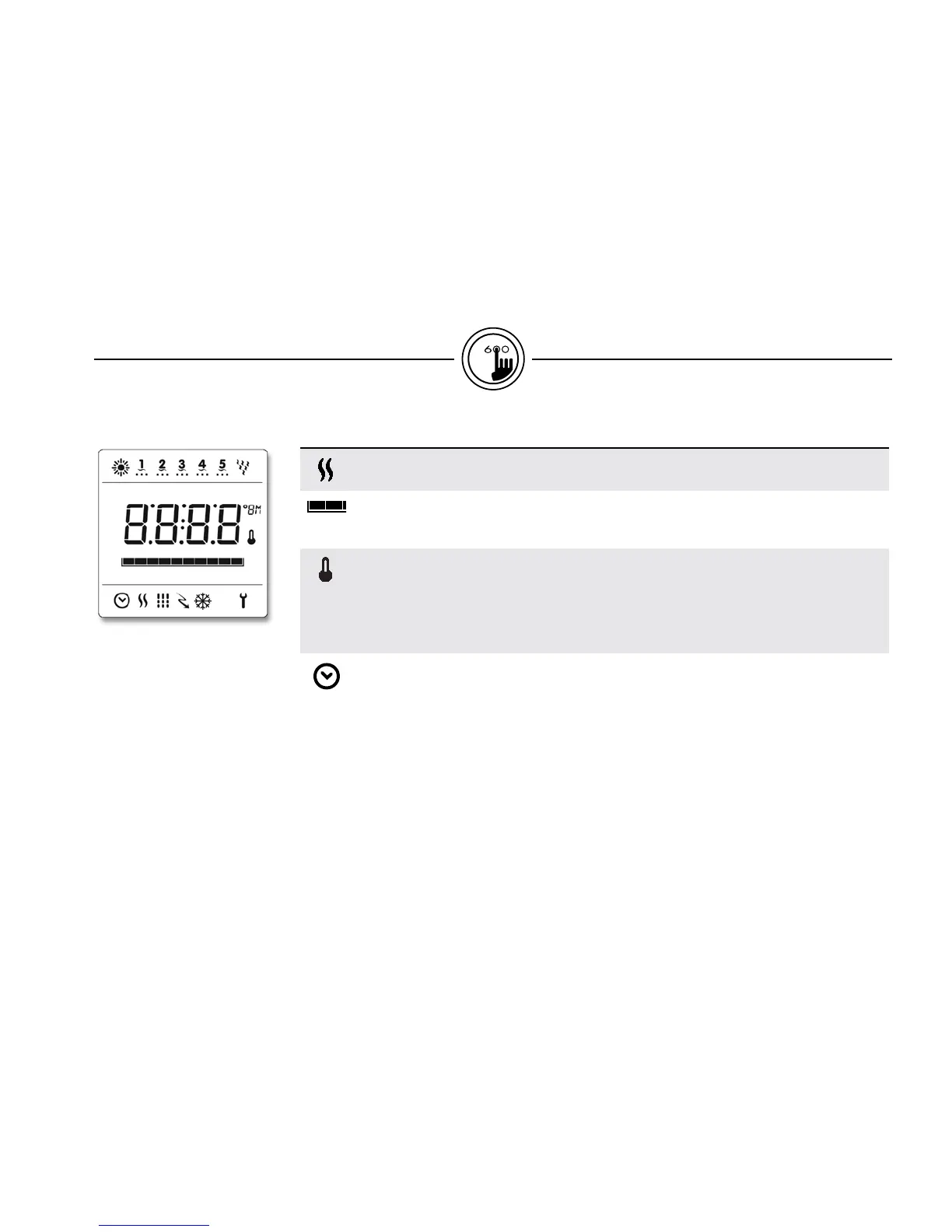
Icon description
Heater icon
The "Heater" icon lights up when the heater is on.
Progress bar
A visual indication of the time remaining before an equipment is turned off or before the
end of the standby mode.
Set Point icon
The "Set Point" icon automatically turns on when set point setting menu is activated.
(SP message on display). It flashes when:
1- there is a call for heat and heater has not started yet,
2- heater has just turned off and element is cooling down or
3 - if system is performing a check flow.
Program icon
The "Program" icon lights up when Programming.
icon description


 To Next Page