22
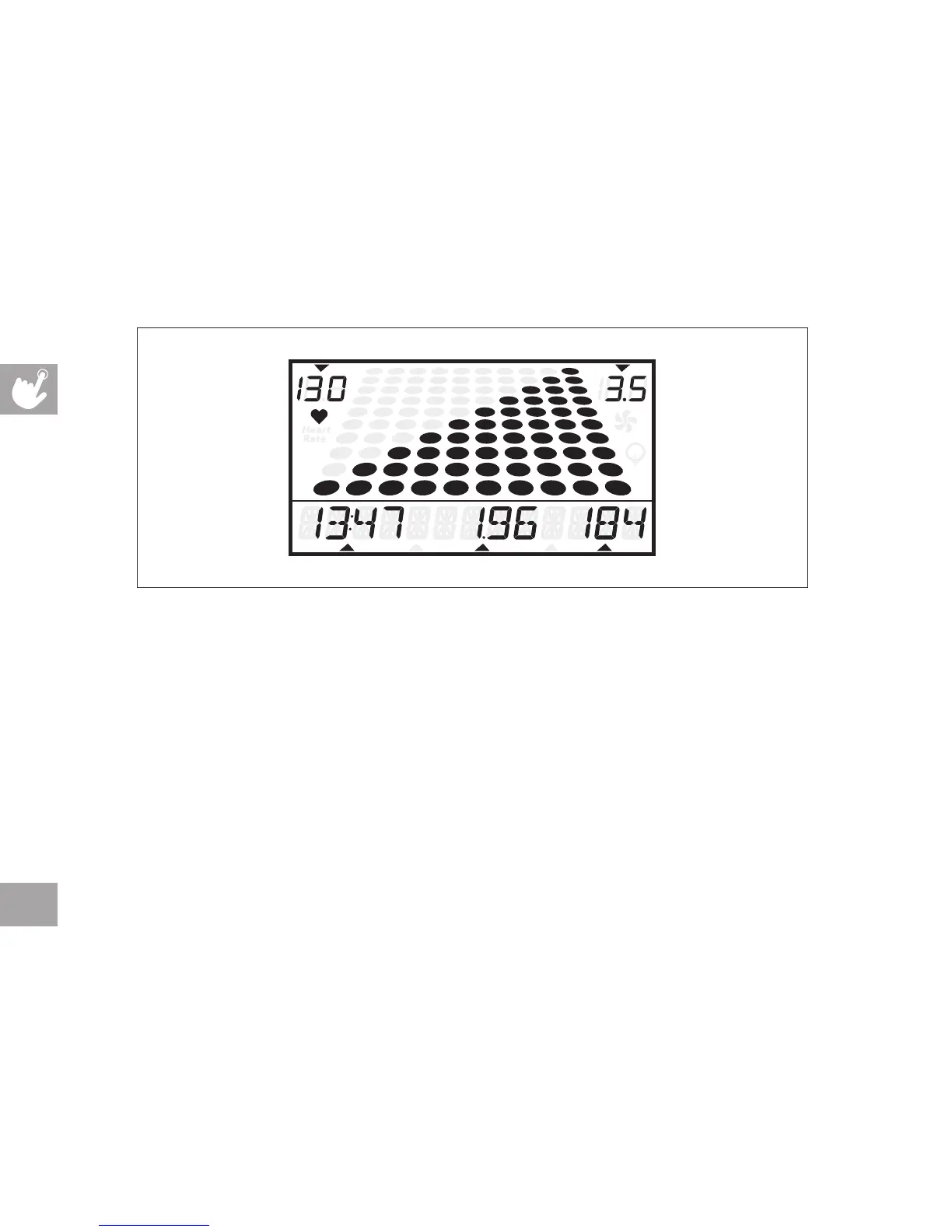
DISPLAY WINDOW
• TIME: Shown as minutes : seconds. View the time remaining or the time elapsed in your workout.
• DISTANCE: Shown as miles. Indicates distance traveled during your workout.
• CALORIES: Total calories burned or remaining for your workout.
• RPM: Revolutions Per Minute.
• WATTS: Displays current user power output
• SPEED: Shown as MPH. Indicates how fast the foot pads is moving.
• HEART RATE: Shown as BPM (beats per minute). Used to monitor your heart rate (displayed when
contact is made with both pulse grips).
• PROGRAM PROFILES: Represents the profile of the program being used.
• ENERGY SAVER: Indicates when machine is in Energy Saver mode to conserve power consumption.
speedheart rate
calorieswattsdistancetime RPM



 To Next Page