2524
7-8) 5K/10K: Programs that allow
you to set and work toward
a distance goal. Treadmill
automatically adjusts incline to
simulate running on an actual
course. Incline changes and all
segments are 0.16 Km.
9) TRAIL RUN: Simulates climbing
mountains by increasing and decreasing
the incline. Time-based goal with 10
difficulty levels to choose from.
10) TRAIL CLIMB: This high-intensity
ascending cardio program gives you a
solid and varied workout with 10 different
challenge levels.
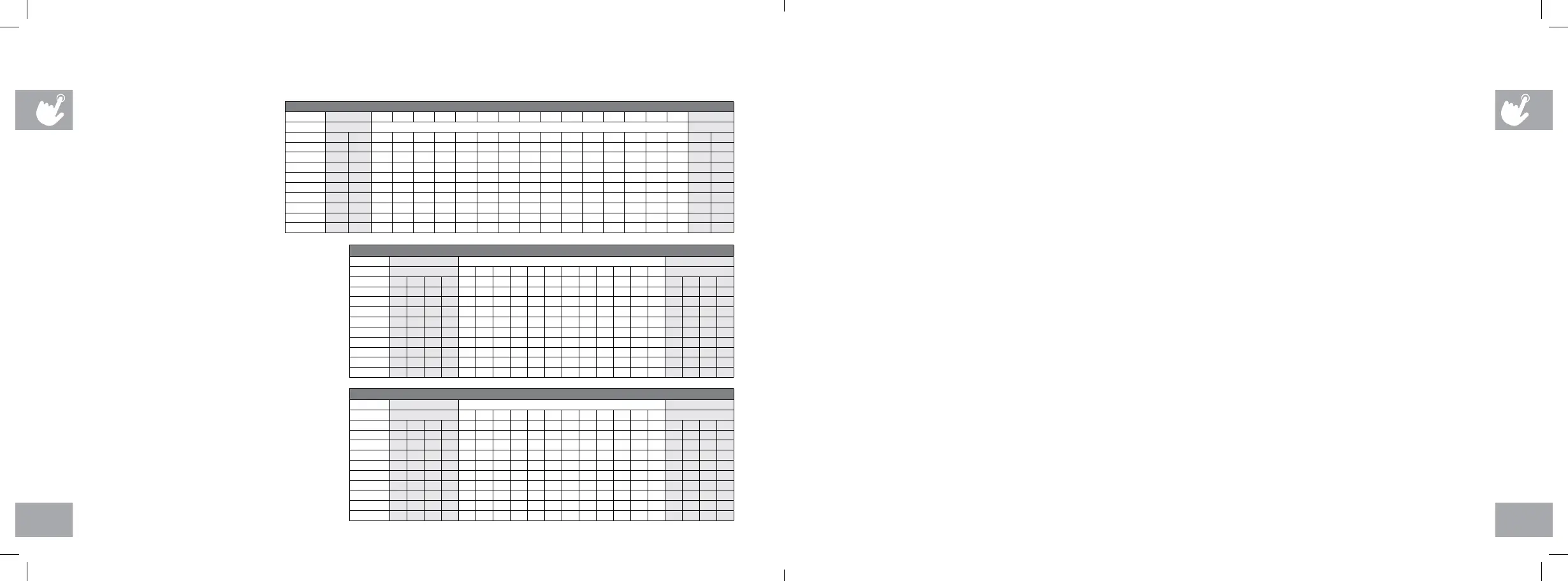
5K / 10K - INCLINE ONLY
Segment Warm Up 1 2 3 4 5 6 7 8 9 10 11 12 13 14 15 Cool Down
Incline 4:00
Each segment is 0.16 Km 4:00
Level 1 0.0 0.5 1.0 3.0 1.0 3.0 2.0 3.0 2.0 3.5 2.0 3.0 2.0 3.0 1.0 3.0 1.0 0.5 0.0
Level 2 0.0 0.5 1.0 3.0 2.0 3.0 2.0 3.0 2.5 3.5 2.5 3.0 2.0 3.0 2.0 3.0 1.0 0.5 0.0
Level 3 0.5 1.0 1.5 3.5 1.5 3.5 2.5 3.5 2.5 4.0 2.5 3.5 2.5 3.5 1.5 3.5 1.5 1.0 0.5
Level 4 0.5 1.0 1.5 3.5 2.5 3.5 2.5 3.5 3.0 4.0 3.0 3.5 2.5 3.5 2.5 3.5 1.5 1.0 0.5
Level 5 1.0 1.5 2.0 4.0 2.0 4.0 3.0 4.0 3.0 4.5 3.0 4.0 3.0 4.0 2.0 4.0 2.0 1.5 1.0
Level 6 1.0 1.5 2.0 4.0 3.0 4.0 3.0 4.0 3.5 4.5 3.5 4.0 3.0 4.0 3.0 4.0 2.0 1.5 1.0
Level 7 1.5 2.0 2.5 4.5 2.5 4.5 3.5 4.5 3.5 5.0 3.5 4.5 3.5 4.5 2.5 4.5 2.5 2.0 1.5
Level 8 1.5 2.0 2.5 4.5 3.5 4.5 3.5 4.5 4.0 5.0 4.0 4.5 3.5 4.5 3.5 4.5 2.5 2.0 1.5
Level 9 2.0 2.5 3.0 5.0 3.0 5.0 4.0 5.0 4.0 5.5 4.0 5.0 4.0 5.0 3.0 5.0 3.0 2.5 2.0
Level 10 2.0 2.5 3.0 5.0 4.0 5.0 4.0 5.0 4.5 5.5 4.5 5.0 4.0 5.0 4.0 5.0 3.0 2.5 2.0
TRAIL RUN - INCLINE CHANGES
Segment Warm Up Program Segments - Repeat Cool Down
Seconds 4:00
30 60 60 30 30 60 30 60 60 30 30 60 4:00
Level 1 1 1 1 1 3 1 1 3 3 1 3 1 1 3 3 1 1 1 1 1
Level 2 1 1 1 2 3 1 1 3 3 1 3 1 1 3 3 1 2 1 1 1
Level 3 1 1 1 2 4 2 2 4 4 2 4 2 2 4 4 2 2 1 1 1
Level 4 1 1 1 3 4 2 2 4 4 2 4 2 2 4 4 2 3 1 1 1
Level 5 1 2 3 3 5 3 3 5 5 3 5 3 3 5 5 3 3 3 2 1
Level 6 1 2 3 4 5 3 3 5 5 3 5 3 3 5 5 3 4 3 2 1
Level 7 1 2 3 4 6 4 4 6 6 4 6 4 4 6 6 4 4 3 2 1
Level 8 1 2 3 5 6 4 4 6 6 4 6 4 4 6 6 4 5 3 2 1
Level 9 2 2 3 5 7 5 5 7 7 5 7 5 5 7 7 5 5 3 2 2
Level 10 2 2 4 6 7 5 5 7 7 5 7 5 5 7 7 5 6 4 2 2
PROGRAM INFORMATION
TRAIL CLIMB - INCLINE ONLY
Segment Warm Up Program Segments - Repeat Cool Down
Seconds 4:00
30 60 60 30 30 60 30 60 60 30 30 60 4:00
Level 1 1 1 2 3 5 5 6 6 6 6 6 6 6 7 7 7 3 2 1 1
Level 2 1 1 2 4 5 6 6 6 6 6 7 7 7 8 8 8 4 2 1 1
Level 3 1 1 1 1 6 6 6 7 8 8 8 7 8 8 7 8 1 1 1 1
Level 4 1 1 1 1 6 6 6 6 7 8 8 9 9 9 9 9 1 1 1 1
Level 5 1 1 1 2 5 6 6 6 7 8 9 9 9 9 10 10 1 2 2 1
Level 6 2 2 2 3 5 6 6 6 7 8 9 9 10 10 10 10 2 1 1 1
Level 7 2 3 3 4 6 6 6 6 7 7 8 9 9 10 11 11 2 2 1 1
Level 8 2 3 4 4 6 6 6 7 7 8 8 9 9 10 11 11 3 2 1 1
Level 9 2 4 4 5 7 7 7 8 8 9 9 9 10 11 12 12 3 2 1 1
Level 10 3 4 5 6 7 7 8 8 9 9 9 10 11 11 12 12 4 2 1 1
CUSTOM PROGRAM INFORMATION
Lets you create and reuse a perfect workout for you with specific speed, incline and time combination. The ultimate in
personal programming. Time-based goal.
1) Press the CUSTOM program button and press ENTER.
2) Set the workout time using the – / + and press ENTER.
3) Use – / + to set the speed for each segment. Press ENTER to confirm the speed setting for each segment of the
workout.
4) Use – / + to set the incline for each segment. Press ENTER to confirm the incline setting for each segment of the
workout.
5) Press GO to begin workout.
DATE AND CLOCK SETUP
1) Enter setup mode: Press and hold 1 & 2 SPEED QUICK KEYS for 3-5 seconds.
2) Use – / + to change settings and press ENTER to confirm settings.
3) Settings include: MONTH, DAY, YEAR, HOUR, MINUTE, and AM/PM.
4) Review settings: You can review your settings at any time while in setup mode.
Use the ENTER button to scroll through settings.
5) Exit setup mode: To confirm the DATE and TIME, press and hold ENTER for 3 seconds.
6) To reset simply reenter setup mode and adjust DATE and TIME to the correct setting.
AFG14_OM_3.3AT_Rev1_2.indd 24-25 7/31/14 4:41 PM


 To Next Page
 Loading...