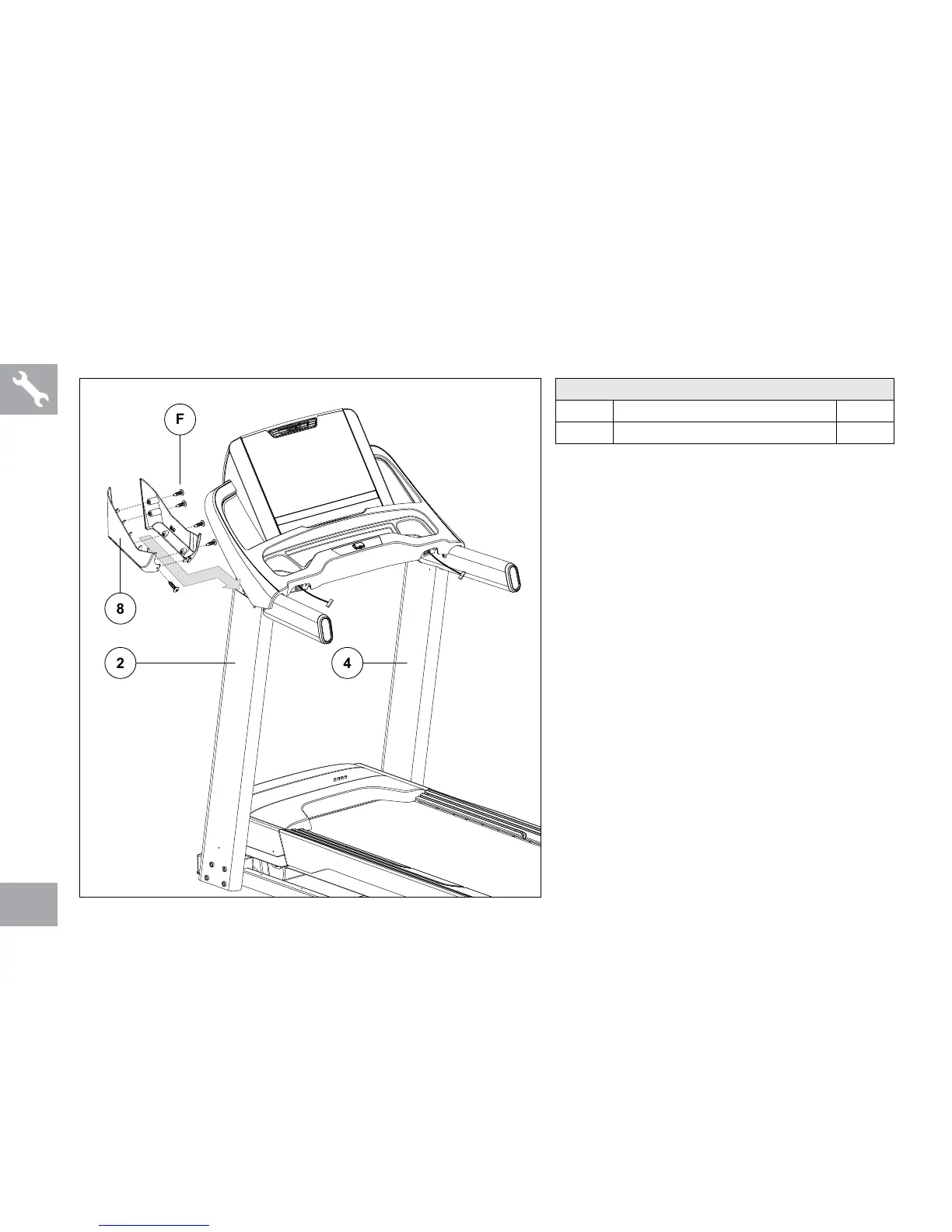
ASSEMBLY STEP 4
A Open HARDWARE FOR STEP 4.
B Slide both CONSOLE MAST COVERS (8)
under the console around CONSOLE MAST
(2).
C Attach CONSOLE MAST COVERS (8) using 4
SCREWS (F) from the inside and 1 SCREW (F)
from the front.
D Repeat on other side (4).
HARDWARE FOR STEP 4
PART TYPE QTY
F SCREW 10



 To Next Page