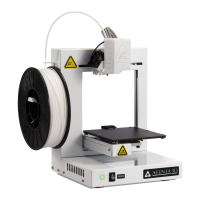
Afinia H800 3D Printer User’s Manual
3
TABLE OF CONTENTS
Safety Precautions .................................................................................................................. 5
Protecting the Printer .............................................................................................................. 5
Overview ................................................................................................................................... 6
Unpacking the Afinia H800 3D Printer............................................................................................... 8
The Print Head ................................................................................................................................... 9
The Control Buttons .......................................................................................................................... 9
Installing the Afinia H800 3D Printer .................................................................................... 10
Driver and Software Installation ...................................................................................................... 10
Installing the Printer ........................................................................................................................ 10
Loading the Filament ....................................................................................................................... 11
Getting Ready to Print ........................................................................................................... 12
Starting the Afinia 3D Program ........................................................................................................ 12
Initializing the Printer ...................................................................................................................... 12
Preparing the Platform .................................................................................................................... 13
Leveling the Print Platform .............................................................................................................. 14
Platform Calibration ........................................................................................................................ 15
Automatic Platform Calibration ....................................................................................................... 15
Manual Platform Calibration ........................................................................................................... 16
Calibrating the Nozzle Height .......................................................................................................... 17
Other Maintenance Options ............................................................................................................ 18
Printing with the H800 3D Printer ......................................................................................... 20
Loading a 3D Model ......................................................................................................................... 20
View Options ................................................................................................................................... 22
Model transformations .................................................................................................................... 22
Placing Models onto the Build Platform .......................................................................................... 24
Print Setup Options ......................................................................................................................... 25
Print Settings ................................................................................................................................... 25
Part Settings .................................................................................................................................... 25
Printing ............................................................................................................................................ 29
Print Options ................................................................................................................................... 29
Save as Project ...................................................................................................................... 31
Model Removal ...................................................................................................................... 32
Removing Support Material ............................................................................................................ 33
Maintenance ........................................................................................................................... 34
Changing the Filament..................................................................................................................... 34
Cleaning the Nozzle ......................................................................................................................... 35
Removing / Changing the Nozzle ..................................................................................................... 35
Cleaning the Extruder Gear ............................................................................................................. 36
Cleaning the Platform ...................................................................................................................... 37
Lubrication of Extruder Rails ........................................................................................................... 37
Changing the HEPA Filter ................................................................................................................. 37
Spare parts ...................................................................................................................................... 37
Vertical Calibration .......................................................................................................................... 37
Tips & Tricks .......................................................................................................................... 39
Status Indicator ...................................................................................................................... 41
Changing Languages ............................................................................................................ 41
Updating the Printer ROM ..................................................................................................... 42
Troubleshooting ..................................................................................................................... 42
Specifications ........................................................................................................................ 45
Technical Support .................................................................................................................. 46
Acronyms and Jargon ........................................................................................................... 46


 To Next Page