Afinia H800 3D Printer User’s Manual
44
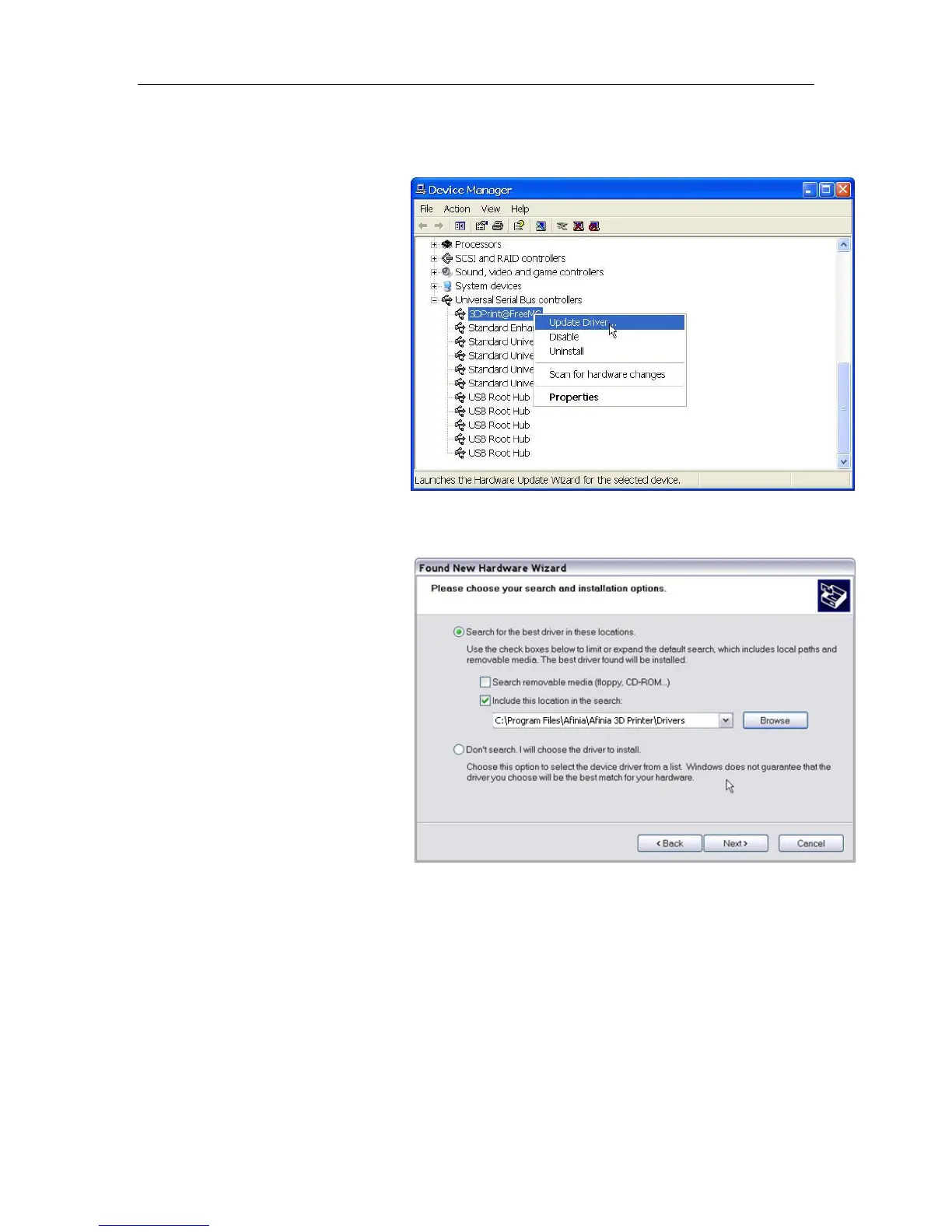
Option 2: Update the driver manually
1. Install the latest Afinia H800 3D Printer software.
2. Find the 3DPrint@FreeMC
driver in the Device
Manager dialog box (it
should be located in the USB
section).
3. Right click the entry and
select Update Driver.
4. Select the Afinia H800 3D
Driver folder (the default is
C:\Program
Files\Afinia\Afinia 3D
Printer\Drivers).
5. A Free Motion Card entry
should appear in the Device
Manager list.


 To Next Page