L301 Label Printer
Setting up the Printer | 9
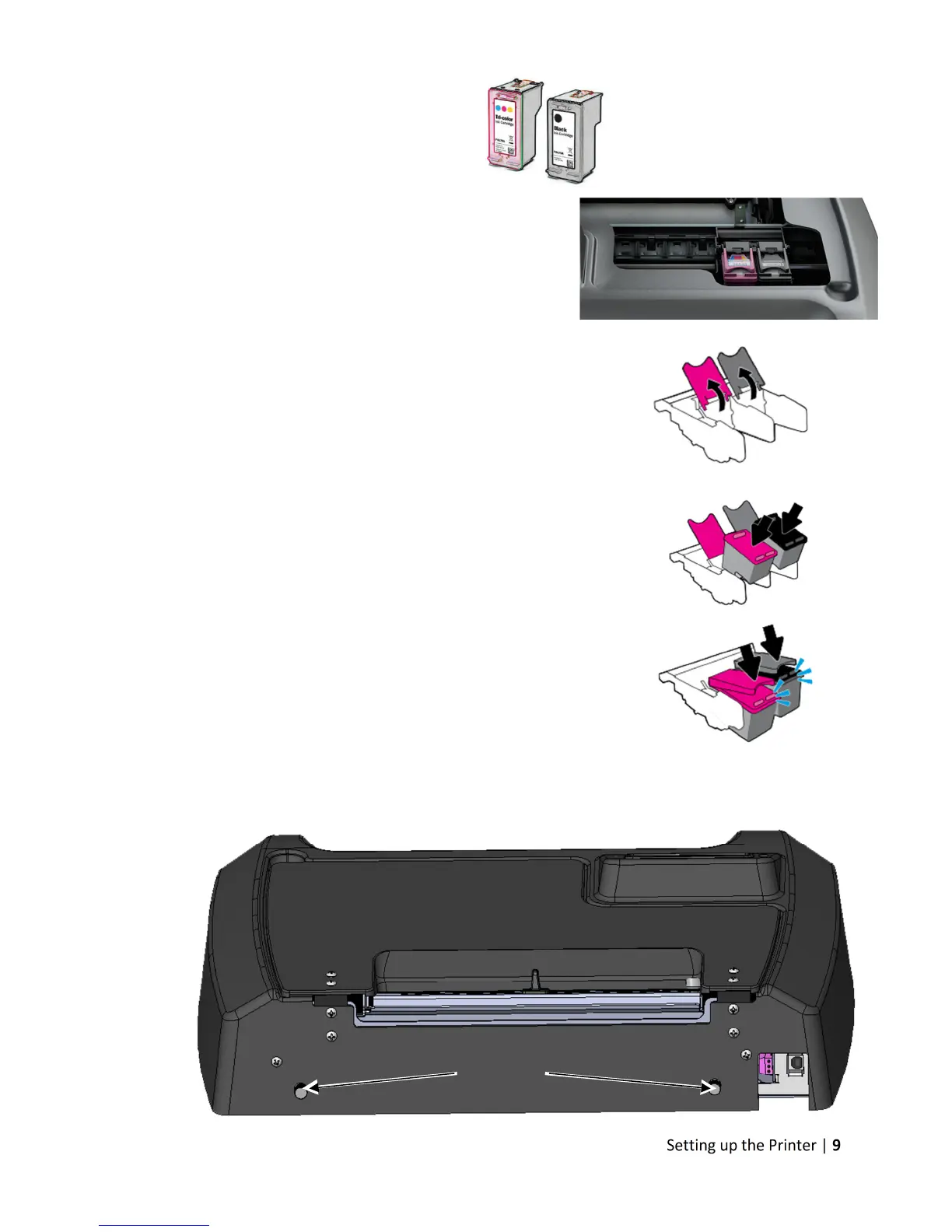
Install Ink Cartridges
• Open the Ink Cartridge Access Door
o Carriage will move left to expose
both cartridges
• Remove plastic tape from cartridges using pull tab
• Lift the two cartridge latches after the carriage
moves to the left
• Insert the two cartridges into the carriage
o Tricolor: #26548
o Black: #26562
o Must be Afinia ink cartridges!
Lower the cartridge latches until they click
• Close the Ink Cartridge Access Door
Install Standard Unwinder
Connect the Standard Unwinder to the mounts on the rear of the printer using the two
supplied thumbscrews.
Mounts



 To Next Page