2
YY
Press and hold to activate
Secondary function of a key
XX
Press and release to activate
Primary function of a key
Power key
Provides two functions:
Press to turn On/Off (OPM turns off after five minutes of inactivity). •
Press and hold to disable/enable the Auto Off feature. •
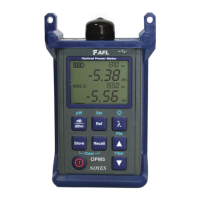
Arrow/File key (OPM5 models only)
Provides several functions:
Testing mode: press and hold to enter File mode. •
File mode: Press to increment the File number. •
Fiber and Recall mode: press to increment the Fiber number. •
Arrow/Fiber key (OPM5 models only)
Provides several functions:
Testing mode: press and hold to enter Fiber mode. •
Fiber mode: press to decrement the Fiber number. •
File and Recall mode: press to decrement the File number. •
Wavelength/Backlight key
Provides two functions:
Press to cycle through the calibrated wavelengths. •
Note: When an OPM is receiving a wavelength ID’d light, it automatically
switches to the ID wavelengths. [WAVE ID] indicator appears on the
display.
Press and hold to toggle the Backlight on or off. •
File
Fiber
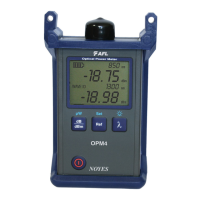
OPM Series Function Keys
Dual Function Keys Legend


 To Next Page
 Loading...