Need help?
Do you have a question about the afx light CHASER-MOVING-BAR and is the answer not in the manual?
The CHASER-MOVING-BAR (Code: 16-2009) is a versatile lighting fixture designed for professional use, offering a range of dynamic effects and control options. This device is a Class I protection appliance, meaning it must be connected to an earthed mains outlet. It is intended for indoor use only, with a minimum distance of 0.5m from other objects and a maximum ambient temperature of 40°C. The unit's surface temperature can reach up to 85°C during operation, so it should not be touched bare-handed. It is crucial to allow 15 minutes for the unit to cool down after switching off before any maintenance or servicing. The fixture should not be opened within 5 minutes of being switched off.
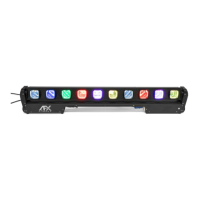
The CHASER-MOVING-BAR features RGBW beam bars with tilt functionality, allowing for dynamic light movements and color changes. It incorporates 10x 15W RGBW 4-in-1 LEDs, providing a wide spectrum of colors. The device supports various operating modes including DMX512, auto, master-slave, and RDM (Remote Device Management).
The DMX channel charts provide detailed control over the fixture's functions. In CH7 mode, channels 1-7 control Y-axis motor speed, linear dimming of red, green, blue, and white lamp beads, and a reset function. In CH13 mode, channels 1-13 offer Y-axis motor speed, Y-axis motor speed, total dimming, strobe, linear dimming for red, green, blue, and white lamp beads, mode, speed, and background color dimming. The CH43 mode extends control to 43 channels, including individual linear dimming for up to 10 sets of RGBW lamp beads, along with the Y-axis motor and reset functions.
The Mode Effect Chart offers 127 pre-programmed effects, ranging from simple light colors (R, G, B, W light) to comprehensive effect loops and various running light patterns. These include red, green, blue, and white lights running, red and green dyed lights running, GB and blue dyed lights running, and comprehensive effect loops (1-7, 9-15, 17-23, 25-31, 33-39, 41-47, 49-55, 57-63, 65-71, 72-79, 81-87, 89-95, 97-103, 105-111, 113-119). Specific mode codes also offer light refreshes, running lights back and forth, running with afterimages, pendulums, light stacks up, and colorful effects. For mode codes 9-120, users can adjust RGBW to change the background color.
The device can be controlled via a DMX512 console. After power-on, users set the address codes for all fixtures and connect them in parallel to the DMX512 console using three-core signal cables. The flashing address codes will stop, indicating that the DMX512 console signal has been sent.
The fixture features a user-friendly menu system accessible via MENU, UP, DOWN, and ENTER buttons.
For master-slave operation, two or more identical fixtures are connected via a DMX three-core signal cable. All fixtures should be configured with any address from A001-A512. The first fixture is set as the master, and the rest as slaves. The master's settings (dimmer, pulse change, jump, etc.) will be mirrored by all slave fixtures. Only one master can be set per group of lamps, and the DMX512 console must be off for master-slave mode to function.
Factory settings can be restored by pressing the MENU button for 5 seconds. This primarily resets channel levels, fan configuration, thermal protection point, and parameter sending function.
The manual emphasizes the importance of proper installation and handling to ensure longevity and safe operation.
 General
| Brand | afx light |
|---|---|
| Model | CHASER-MOVING-BAR |
| Category | DJ Equipment |
| Language | English |

 To Next Page