EN 4
© Copyright LOTRONIC 2019
DESCRIPTION OF THE INTERFACE
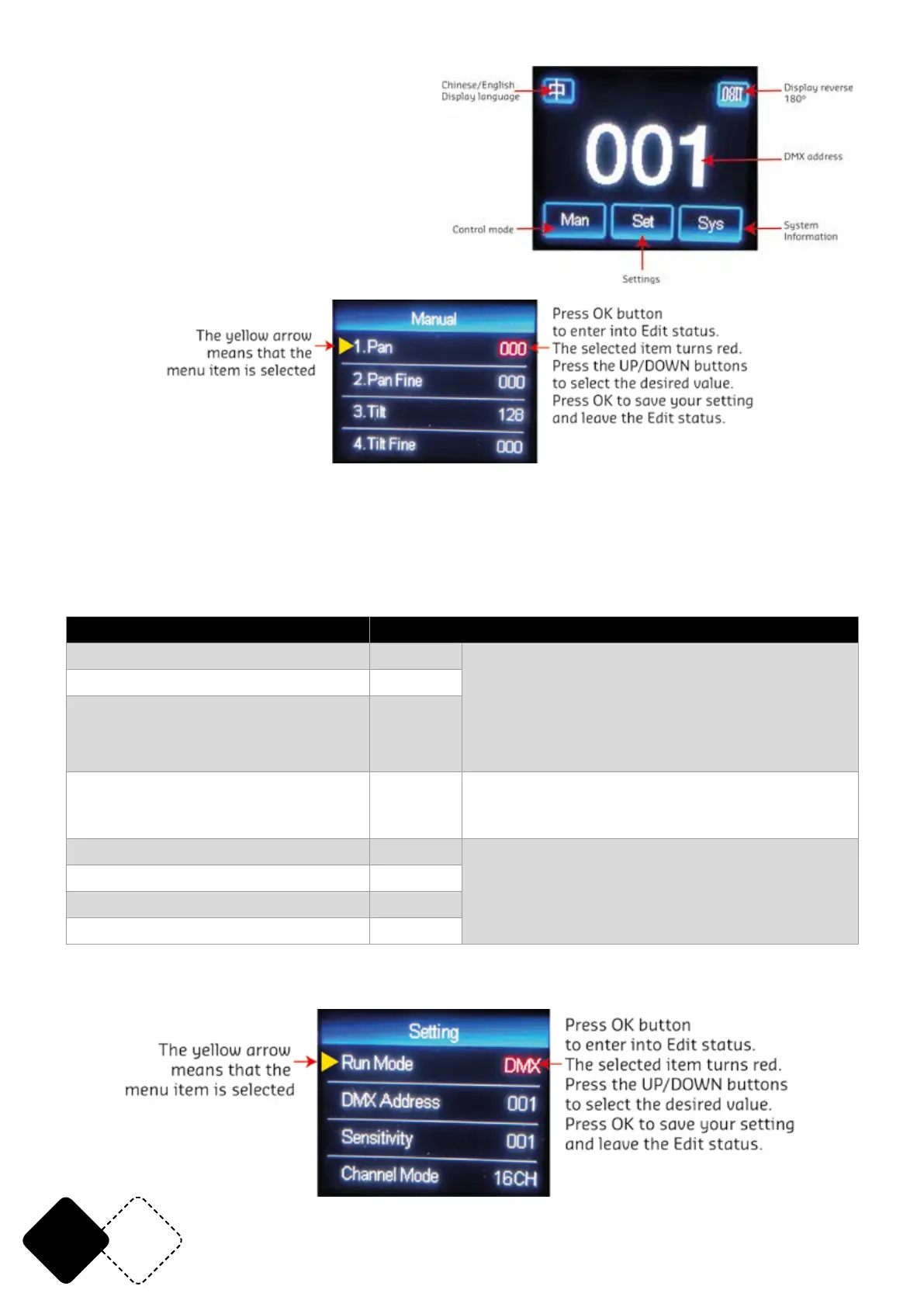
Main Interface
Subinterface
Manual control
This interface is used to control the current luminaire and automatically enters the host state
(does not receive the DMX signal and sends a DMX signal to the slave to the host).
The manual menu will display 16 or 20 channels according to the selection made by the user in the
settings menu.
Option Description
1CH. Pan 0-255 The yellow arrow means that the menu item
is selected. Press OK button to enter into Edit
status. The selected item turns red. Press the
UP/DOWN buttons to select the desired value.
Press OK to save your setting and leave the Edit
status.
…… 0-255
15CH. Frost 0-255
16CH. Reset Press “OK” to display the conrmation dialog
box, press “OK” again to enter the reset inter-
face. All motors will reset
17CH. Pan/Tilt Speed 0-255 If the extended 20-channel mode is selected
18CH. Color Wheel Speed 0-255
19CH. Dimmer-Prism- Frost Speed 0-255
20CH. Gobo Wheel Speed 0-255
SETTINGS



 To Next Page