EasyManua.ls Logo

AG Neovo SX-15E - User Manual

AG Neovo SX-15E
46 pages
Print Icon
To Next Page IconTo Next Page
Loading...
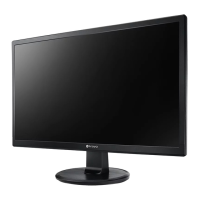
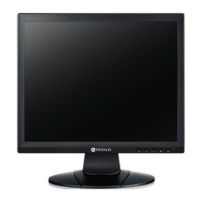
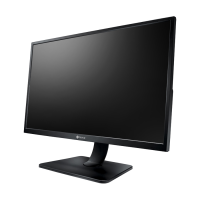
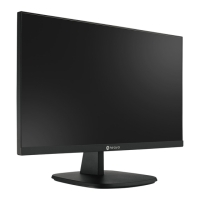
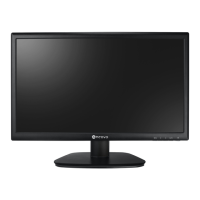
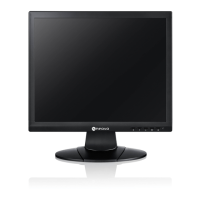
SX-15E, SX-17E & SX-19E LED-Backlit Display
User Manual

Table of Contents

Questions and Answers

  • D
    Dr. Peter Chen MDAug 15, 2025
    How to fix AG Neovo SX-15E Monitor when there is no picture and the LED indicator is off?
    • A
      Aaron StarkAug 16, 2025
      If the AG Neovo Monitor shows no picture and the LED indicator is off, ensure the LCD display is turned on. Verify that the power adapter is correctly connected to the LCD display and that the power cord is properly plugged into the power outlet.
  • M
    Michael SandersAug 18, 2025
    What to do if there is no audio output from AG Neovo SX-15E?
    • R
      riveravanessaAug 18, 2025
      If you're experiencing no audio output from your AG Neovo Monitor, first check if the volume is set to 0. Also, verify that the AUDIO SETTING is not set to OFF. For VGA or DVI input, check the audio setting of the computer. For HDMI or DP input, select the correct audio input source.
  • P
    paynegregAug 21, 2025
    Why is the LED indicator on my AG Neovo Monitor AMBER?
    • B
      Betty BaldwinAug 21, 2025
      If the LED indicator on your AG Neovo Monitor is amber, check if the computer is turned on. If the computer is in standby mode, move the mouse or press any key to wake it up.
  • K
    Kyle MilesAug 25, 2025
    What to do if the displayed picture on AG Neovo SX-15E looks distorted?
    • P
      Patricia MaldonadoAug 25, 2025
      If the displayed picture on your AG Neovo Monitor looks distorted, you should adjust the aspect ratio.
  • M
    Madison ReeseAug 27, 2025
    How to fix blurry displayed texts on AG Neovo SX-15E?
    • J
      Juan ParkerAug 27, 2025
      If the displayed texts on your AG Neovo Monitor are blurry, auto-adjust the display if you are using VGA input. You can also adjust the Auto Adjustment Function.
  • F
    foxalexanderAug 31, 2025
    How to remove faint shadows on AG Neovo SX-15E Monitor screen?
    • R
      reedvictorAug 31, 2025
      If faint shadows from a static image appear on the screen of your AG Neovo Monitor, turn off the LCD display for extended periods of time. Alternatively, use a screen saver or a black and white image and run it for extended periods of time.
  • W
    Willie RodriguezSep 2, 2025
    Why is there dew formed on AG Neovo Monitor?
    • E
      Erica MckenzieSep 2, 2025
      If dew forms on or inside the LCD display of your AG Neovo Monitor, this usually happens when the display is moved from a cold to a hot room. Do not turn on the display; wait for the dew condensation to disappear.
  • Y
    Yvonne FordSep 5, 2025
    How to correct image position on AG Neovo SX-15E?
    • M
      meyertammySep 5, 2025
      If the image position on your AG Neovo Monitor is incorrect, adjust the H. POSITION and V. POSITION values.
  • J
    Jennifer ElliottSep 8, 2025
    Why do red, blue, green, white dots appear on AG Neovo SX-15E Monitor screen?
    • B
      Bradley PrestonSep 8, 2025
      If red, blue, green, white dots appear on the screen of your AG Neovo Monitor, it is normal for a few transistors to be damaged and produce spots. This is acceptable and not considered a failure.
  • A
    Alex JonesSep 12, 2025
    Why is there mist formed inside the glass surface of AG Neovo SX-15E Monitor?
    • V
      Victoria RichardsSep 12, 2025
      This happens due to humid weather conditions. This is a normal occurrence. The mist will disappear after a few days or as soon as the weather stabilizes.

Summary

Safety Information

Federal Communications Commission (FCC) Notice

Details FCC compliance for Class B digital devices and potential interference mitigation.

Chapter 2: Making Connections

2.1 Connecting the Power

Step-by-step guide for connecting the power cord, adapter, and outlet to the display.

2.2 Connecting Input Source Signals: Computer

Connects a computer using VGA or DVI cables for digital or analog input signals.

2.2.2 Connecting Video Devices

Instructions for connecting video sources like cameras using CVBS or S-Video cables.

Chapter 3: Using the LCD Display

3.1 Turning on the Power

Instructions on powering the LCD display on and off using the power button.

Chapter 5: Adjusting the LCD Display

5.1 BRIGHTNESS Settings

Adjusts screen brightness, contrast, backlight luminance, and black level for image quality.

5.3 IMAGE SETTING Options

Adjusts image parameters like sharpness, saturation, tint, gamma, color range, noise reduction, and picture modes.

5.10 INPUT SELECT

Allows selection of the active input source signal from various options like VGA, HDMI, DP.

Chapter 6: Appendix

6.1 Warning Messages

Lists common warning messages, their causes, and recommended solutions.

6.2 Troubleshooting Guide

Provides solutions for common problems like no picture, incorrect image position, or no audio.

AG Neovo SX-15E Specifications

General IconGeneral
Resolution1024 x 768
Panel TypeTFT LCD
Brightness250 cd/m²
Input ConnectorsVGA
DVINo
Aspect Ratio4:3
Power Consumption30 W
Screen Size15 inches
Weight3.5 kg

Related product manuals