EasyManua.ls Logo

Agaro REGAL PLUS - User Manual

Agaro REGAL PLUS
8 pages
Print Icon
To Next Page IconTo Next Page
Loading...
UPRIGHT VACUUM CLEANER
Model :
INSTRUCTION MANUAL
W
A
R
R
A
N
T
Y
YEAR
1
REGALPLUS
Question and Answer IconNeed help?

Do you have a question about the Agaro REGAL PLUS and is the answer not in the manual?

Summary

Safety Precautions

General Safety Guidelines

Ensures proper installation, safe operation, and protection against hazards during use.

Assembly Instructions

Connect Handle to Main Unit

Instructions on connecting the handle to the main body, including release mechanism.

Attach Brush Interface

Procedure for inserting the brush interface into the suction end.

Using Accessories and Operation

Install Nozzle Tool and Brush

Guidance on selecting and installing nozzle tools or brushes for cleaning needs.

Connector Tool Usage

Information on using the connector tool to attach the multipurpose brush.

Vacuum Cleaner Operation

Instructions on starting, operating, and switching off the vacuum cleaner.

Maintenance Guide

Remove and Clear Dust Cup

Steps to remove the dust cup and clean dust from the filter using a soft brush.

Filter Maintenance

Procedure for washing and drying the filter if it becomes blocked.

Troubleshooting

Power and Suction Issues

Solutions for common problems like no power, switch issues, or low suction.

Dust Leakage

Addressing issues related to dust leaking from the vacuum cleaner.

Warranty Information

Limited One Year Warranty Card

Details for filling out the warranty card and claiming warranty service.

Overview

This document provides an instruction manual for the AGARO REGAL PLUS Upright Vacuum Cleaner, detailing its assembly, usage, and maintenance.

Function Description

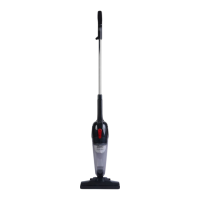
The AGARO REGAL PLUS is an upright vacuum cleaner designed for general household cleaning. Its primary function is to remove dust and debris from various surfaces using suction. The vacuum cleaner operates on a main power supply of 220-240V~50Hz. It is equipped with a dust cup to collect the vacuumed material and a filter system to prevent dust from escaping back into the air. The design allows for both upright use and conversion into a handheld unit for more versatile cleaning tasks.

Usage Features

The vacuum cleaner is designed for straightforward assembly and operation.

  • Assembly:
    • The handle connects to the main unit by inserting the connector. A handle release button allows for easy removal of the handle if needed.
    • The brush interface is inserted into the suction end for floor cleaning.
  • Accessories:
    • Nozzle tool and brush: These accessories can be inserted at the suction end to cater to specific cleaning needs, such as reaching into crevices or cleaning delicate surfaces.
    • Connector tool: This tool is used to connect the multipurpose brush, expanding the range of cleaning applications.
  • Operation:
    • The power switch has two positions: "ON" to start the unit and "OFF" to switch it off.
    • Users should select the appropriate accessory and connect it to the suction end before turning on the vacuum cleaner.
    • For storage, the power cord can be wound around the upper hooker. The lower hooker is used to unwind the cord during use.
  • Safety Precautions:
    • Ensure the dust cup is properly installed before use.
    • Do not vacuum water or inflammable materials.
    • Avoid storing or using the machine near high-temperature areas.
    • In case of abnormal noise, smell, smoke, or other failures, immediately turn off and unplug the appliance, then contact the service center. Do not attempt self-repair.
    • If the supply cord is damaged, it must be replaced by a qualified person to prevent hazards.
    • The appliance is not intended for use by persons with reduced physical, sensory, or mental capabilities, or lack of experience and knowledge, unless supervised or instructed by a responsible person.
    • Children should be supervised to ensure they do not play with the appliance.
    • Always remove the plug from the power socket before any maintenance or replacement.

Maintenance Features

Regular maintenance is crucial for the optimal performance and longevity of the vacuum cleaner.

  • Dust Cup Removal and Cleaning:
    • To remove the dust cup, hold it and press the designated button on the main body.
    • Once removed, the dust cup should be cleared of collected debris. A soft brush can be used to clean dust from the filter inside the dust cup.
  • Filter Maintenance:
    • If the filter becomes blocked, it should be washed and thoroughly dried. It is recommended to allow 24 hours for the filter to dry completely before reinserting it into the vacuum cleaner.
  • Troubleshooting:
    • Power plug not fitted properly: Reinsert the plug into the socket.
    • No power: Check the circuit breaker.
    • Power switch not working: Press the switch of the vacuum cleaner, pull the plug, and wait for the thermal protector to reset.
    • Low suction:
      • If the main brush or accessories are blocked, clear the blockage.
      • If there is too much dust in the filter, clear the filter.
      • If the dirt is accumulating, clear it timely.
    • Dust leak out from the VC:
      • If the filter is broken, replace it.
      • If the filter is not installed on place, reinstall it.

The AGARO REGAL PLUS Upright Vacuum Cleaner comes with a one-year limited warranty. Customers purchasing from online platforms need to provide the Online Partner's Invoice copy to claim the warranty.

Agaro REGAL PLUS Specifications

General IconGeneral
ModelREGAL PLUS
CategoryVacuum Cleaner
Blower FunctionYes
Filter TypeHEPA filter
Warranty1 year

Related product manuals