support@agasio.com Page | 31 713-893-4514
15.1 Linksys Routers
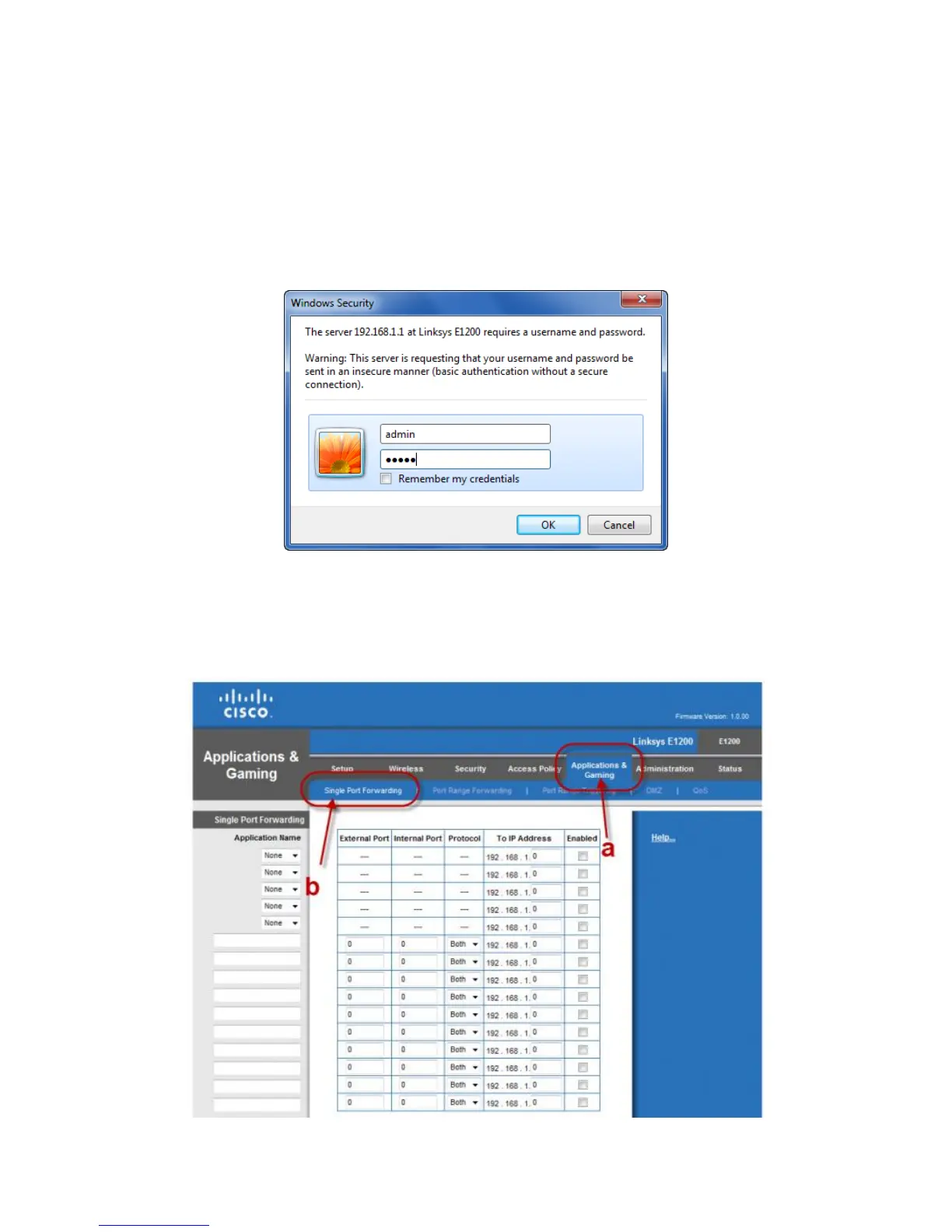
To begin, open a web browser and type “192.168.1.1” in the address bar and press Enter on your
keyboard.
You will be prompted to log in. Log in with a username of “admin” and password of “admin” or leave it
blank. These are default values; if these do not work consult the router’s user manual. If you have
changed the username and password, please use those values instead. Then click OK.
Next, proceed to click on the category “Applications & Gaming,” then click on “Single Port Forwarding”


 To Next Page