support@agasio.com Page | 25 713-893-4514
12. Basic Network Settings
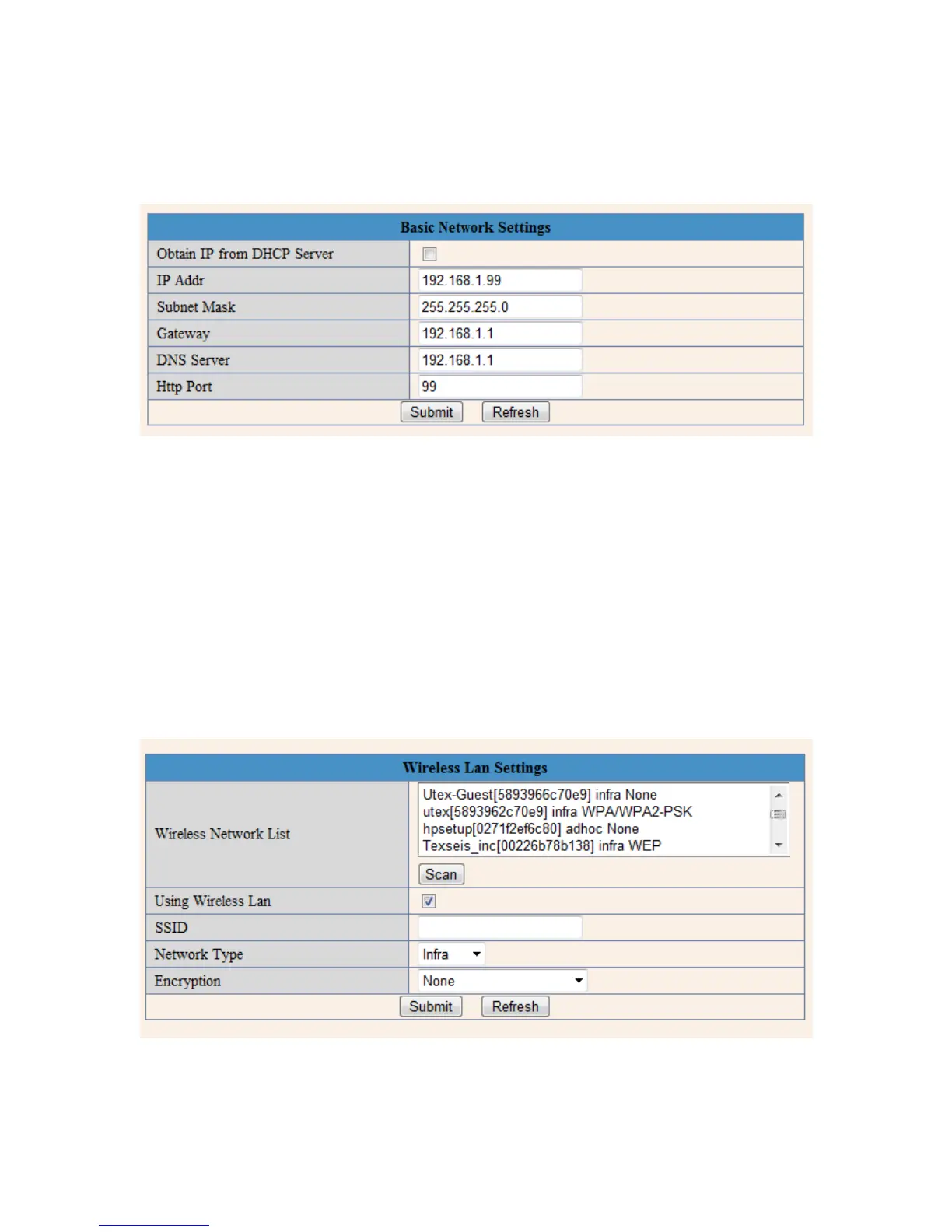
Figure 12.1 – The Basic Network Settings page
This section of the camera contains the basic network LAN settings; these are the same settings that are
seen in the Search Tool software. If you need to change the IP address in the future for any reason, you
can do so from here as an alternative rather than using the Search Tool.
This section has an extra field named “Obtain IP from DHCP Server.” This option allows an IP address to
be automatically assigned to the camera. It is usually recommended to set the IP address yourself rather
than allowing the IP to be set by the DHCP server.
13. Wireless Settings
In this section, we will cover making the camera wireless once it is fully set up by RJ-45 cable.


 To Next Page