support@agasio.com Page | 24 713-893-4514
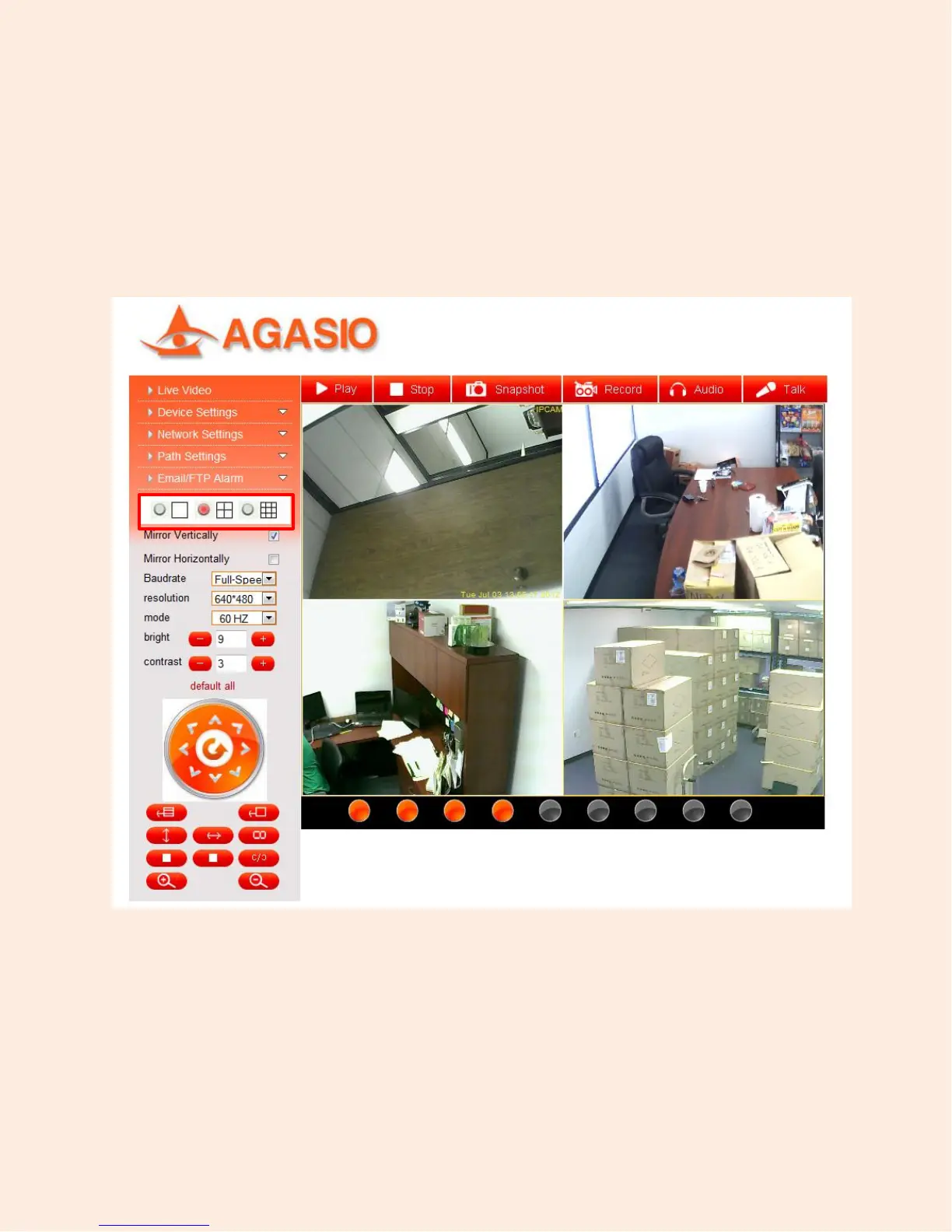
To view the cameras in a multiple setup view, click on “Live Video” on the left side of the interface. You
can then change the view from single, to 4-view or 9-view depending on how many cameras you have
added. This option is seen pictured below.
Figure 11.2 – An example of using 4 cameras simultaneously on the same screen


 To Next Page