support@agasio.com Page | 23 713-893-4514
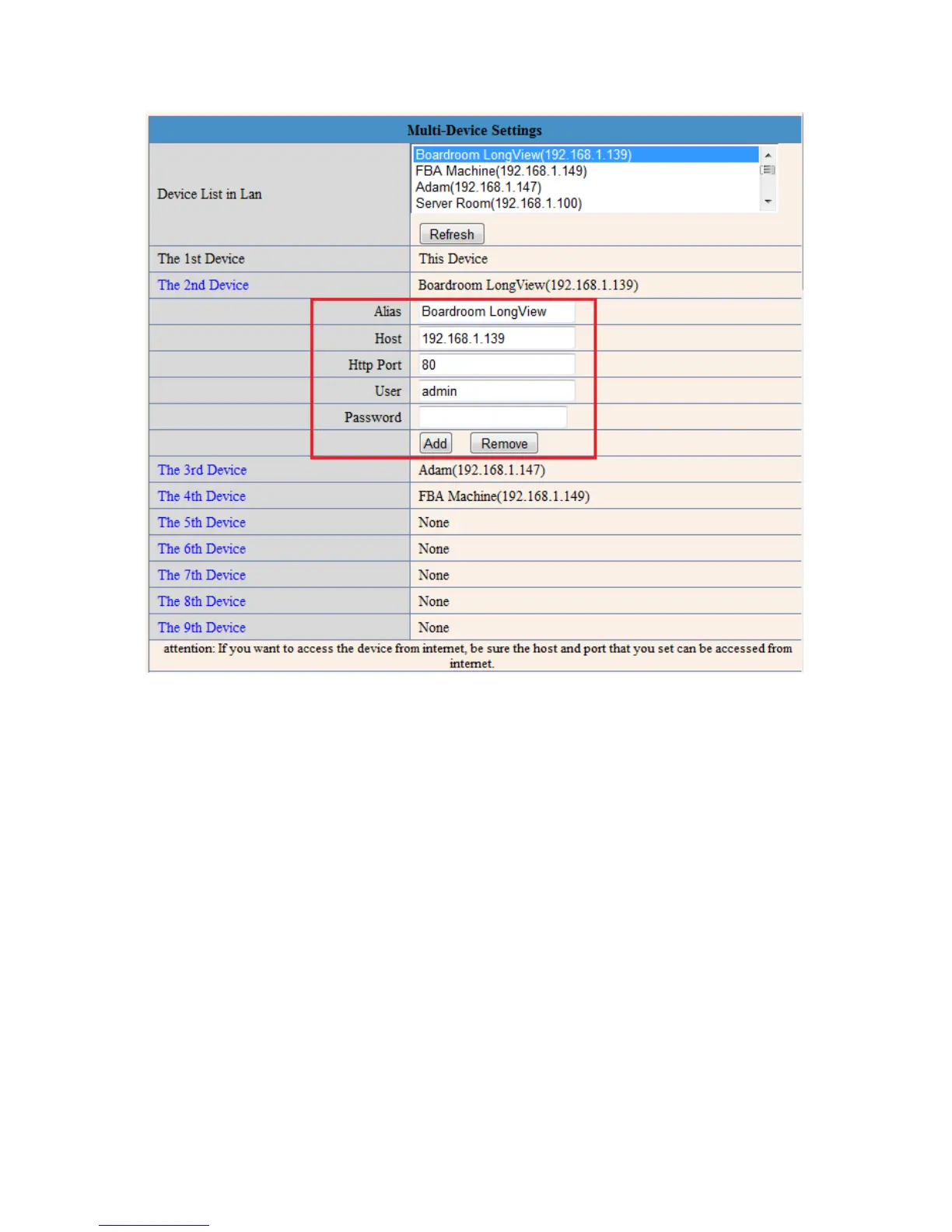
Figure 11.1 – More fields drop down when you want to add another camera
Click the camera that you would like to add from the list, and the fields should automatically populate with
the IP address, Alias, and HTTP port. Enter the username and password for that camera, and click “Add.”
You can repeat this process for up to 9 cameras. If a camera is not located on the LAN, you can simply
input its external IP address, port, username and password, and click “Add.” Don’t forget to click “Submit”
when finished.


 To Next Page