support@agasio.com Page | 40 713-893-4514
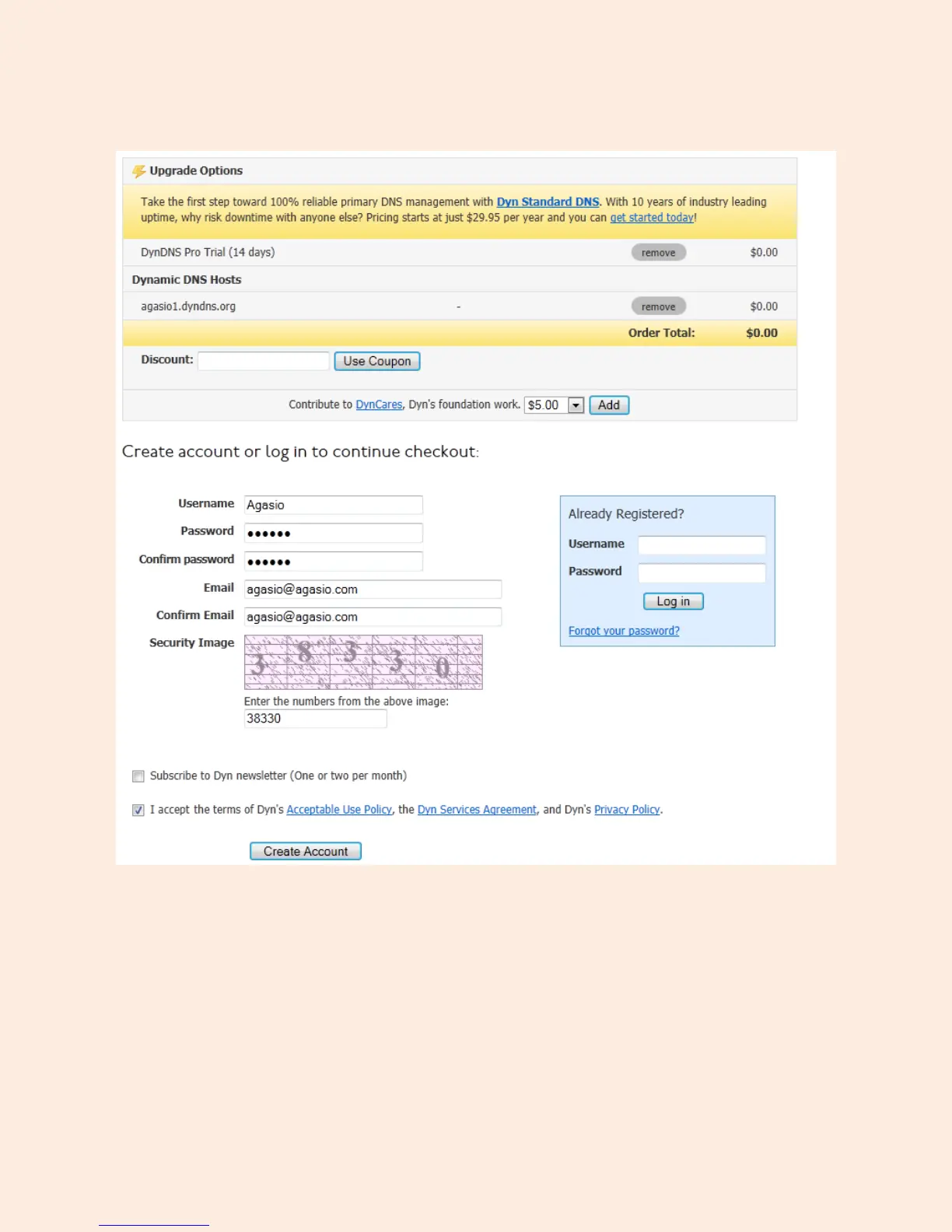
Figure 16.3 – Setup your trial account username and password, along with your e-mail address
Enter a Username and Password you would like to use with your Dyn.com account. In this example we
used the username “Agasio” and password “Agasio.”
Enter your e-mail address and type in the numbering on the security image. Make sure to check the box
which reads “I accept the terms of Dyn’s Acceptable Use Policy etc.” and click “Create Account.”


 To Next Page