8
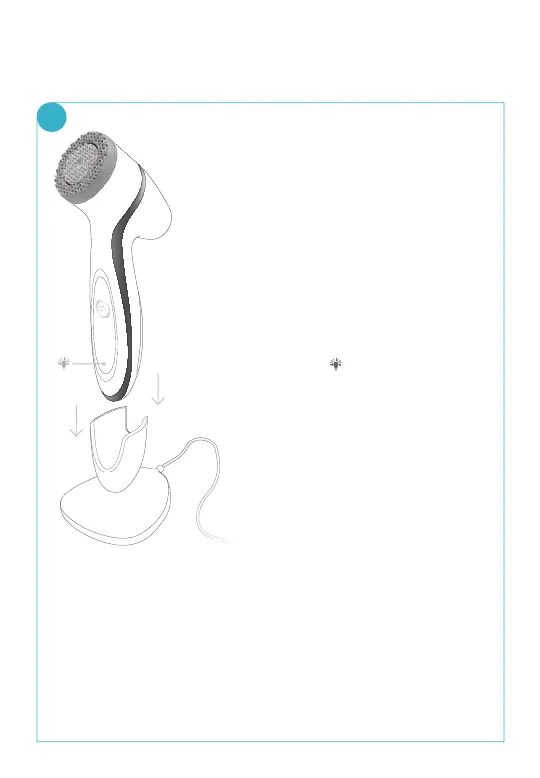
• The lights on the front of
the handset indicate
battery power. An amber
light lling only the bottom
third of the handset
signies a low battery.
• When the battery power
runs out, the light on the
bottom third of the
handset
will be amber
and will ash twice, and
then shut o completely.
In order to protect the
battery, this will only occur
the rst one or two times
that you try to turn on the
device. After that, the
device will not respond
when you try to turn it on.
• As you charge the device, the lights on the
ageLOC® LumiSpa™ handset will ash for 15
seconds. Then, the On/O button will pulse,
indicating that the device is charging.
CHARGING YOUR ageLOC®
LUMISPA™ DEVICE
1



 To Next Page