8
Description of the user interface
The interface is used to:
• choose photographs one at a time or switch into mosaic mode (9 photographs on screen),
• start the printout of a photograph directly,
• enable automatic improvement of the photograph prior to printout,
• set the "Format", "Preferences" and "Image setting" parameters according to your requirements,
• select several photographs and choose a different number of copies for each photograph to be
printed,
• zoom in on a photograph and print it.
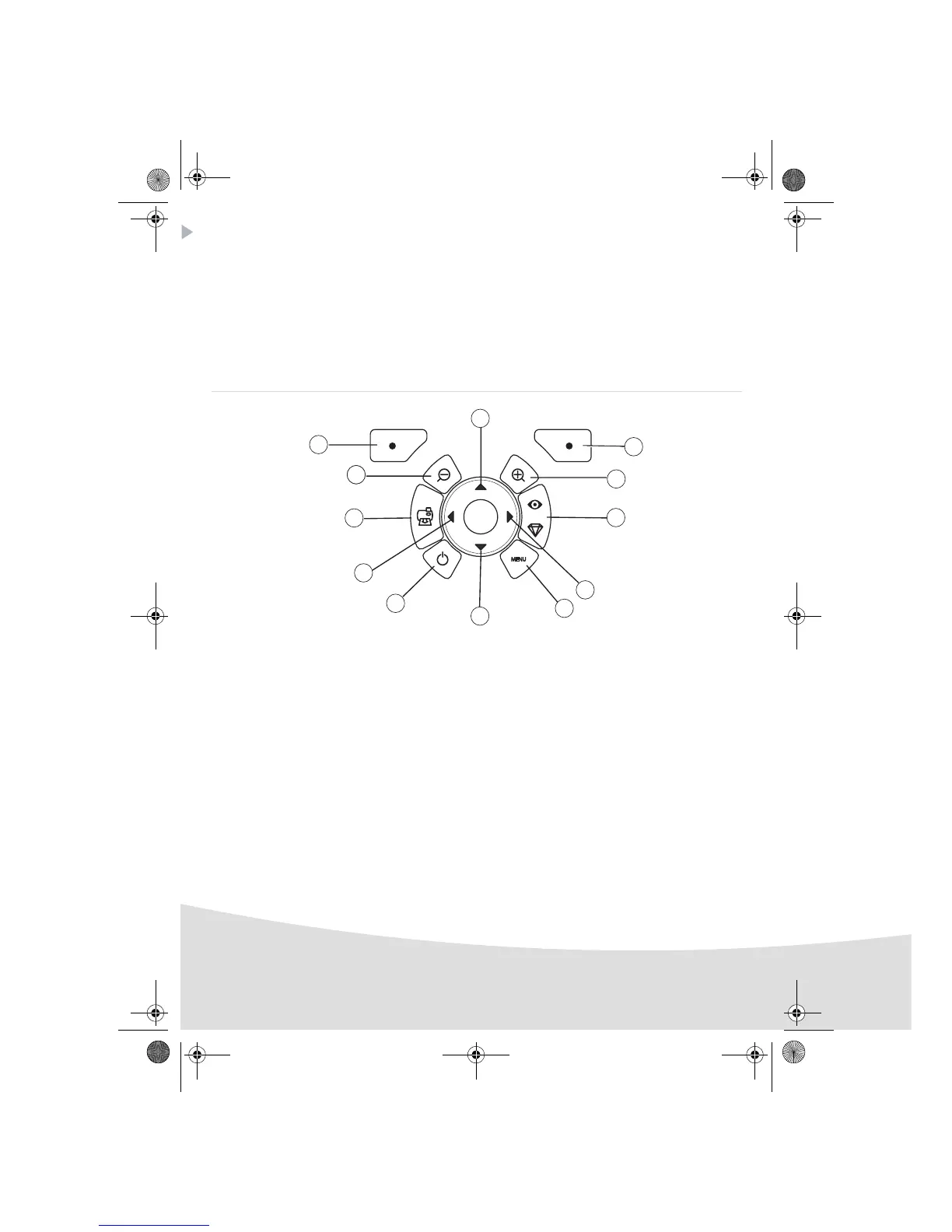
Description of the keypad
No. Key
1 / 5 / 7 / 9 Browser
2 Validate / Enter / Add a copy
3 Zoom +
4 Crystal image / Red eyes
6Menu
8On / Off
10 Print
11 Zoom -
12 Back / Cancel / Remove a copy
2
12
3
111
10
9
4
5
8
6
7
1
GI AP2700.book Page 8 Mercredi, 20. septembre 2006 4:15 16



 To Next Page