DX- D 600
User Manual
0242F EN 20181218
123
6.3 TILTING
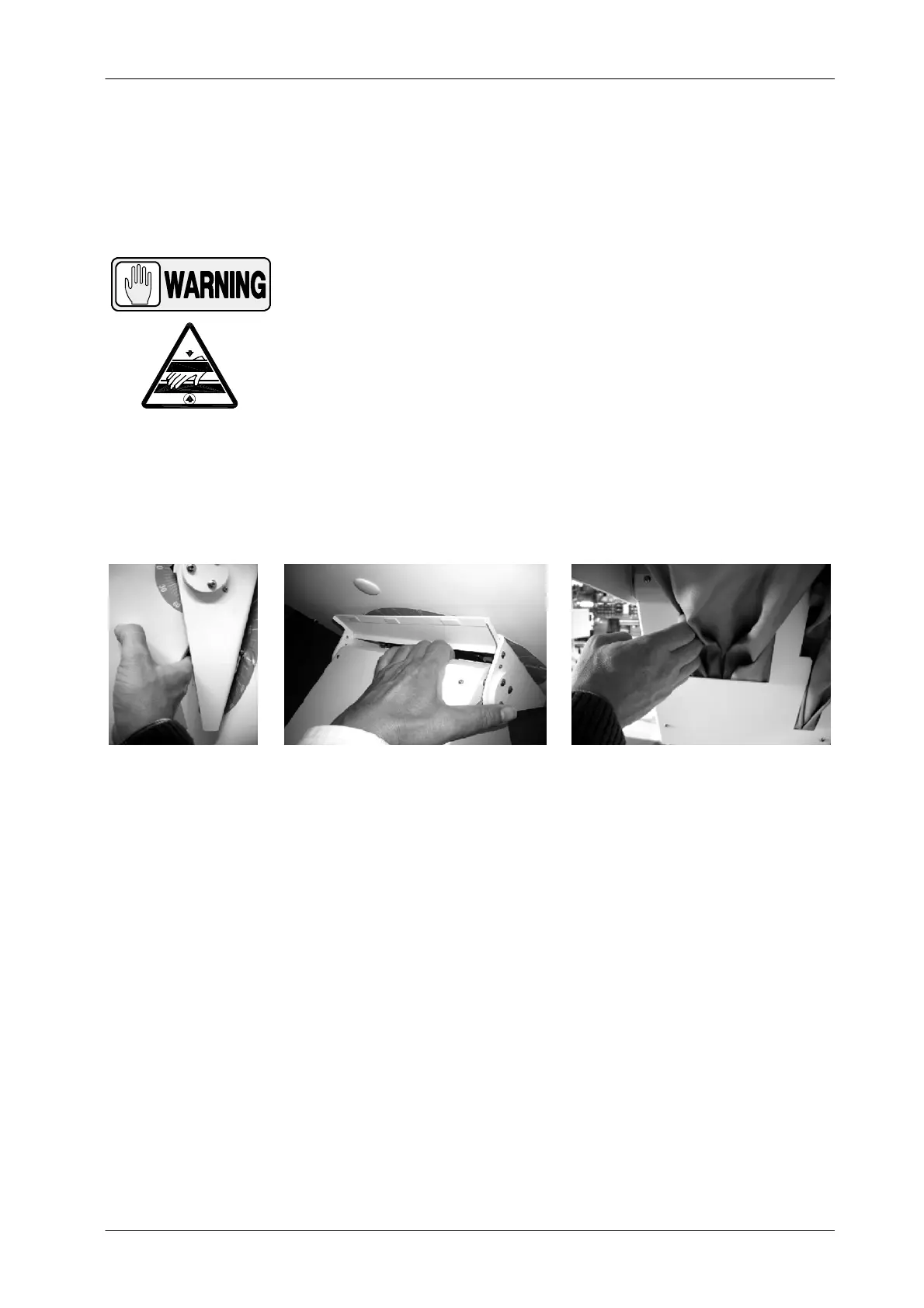
NEVER PLACE THE PATIENT’S AND/OR OPERATOR’S
HANDS OR FINGERS INSIDE THE TILTING ASSEMBLY AS
SHOWN BELOW: IT MAY CAUSE SERIOUS INJURIES TO
PATIENT OR OPERATOR. MAKE SURE THAT THE PATIENT
EXTREMITIES ARE INSIDE THE TABLETOP OR
ACCESSORIES LIMITS DURING OPERATION: MOVEMENT
OF PARTS MAY CAUSE SERIOUS DAMAGES TO PATIENT.
Illustration 6-4
Potential Pinch Points
The DR Detector position is locked using:
The Tilting Brakes. There are two Tilting Brake Control buttons, one at
each lateral DR Detector Support. Press and hold any of them to release
the T ilting Brake. The DR Detector is locked at any angle between -20
o
and 90
o
.
The 0
o
/90
o
Detents, located on the DR Detector Support left side. These
mechanical detents lock the DR Detector at 0
o
(vertical position) or 90
o
(horizontal position).
The DR Detector allows a tilting range from -20
o
to 90
o
. The movement is
manually controlled.



 To Next Page