DX-D 600
User Manual
0242F EN 20181218
53
SECTION 3 STARTUP AND SHUTDOWN
3.1 START UP
The System should be powered by the same Room Electrical Cabinet where
the X-ray Generator is connected, that is, the whole System will be powered
from the same Electrical Cabinet.
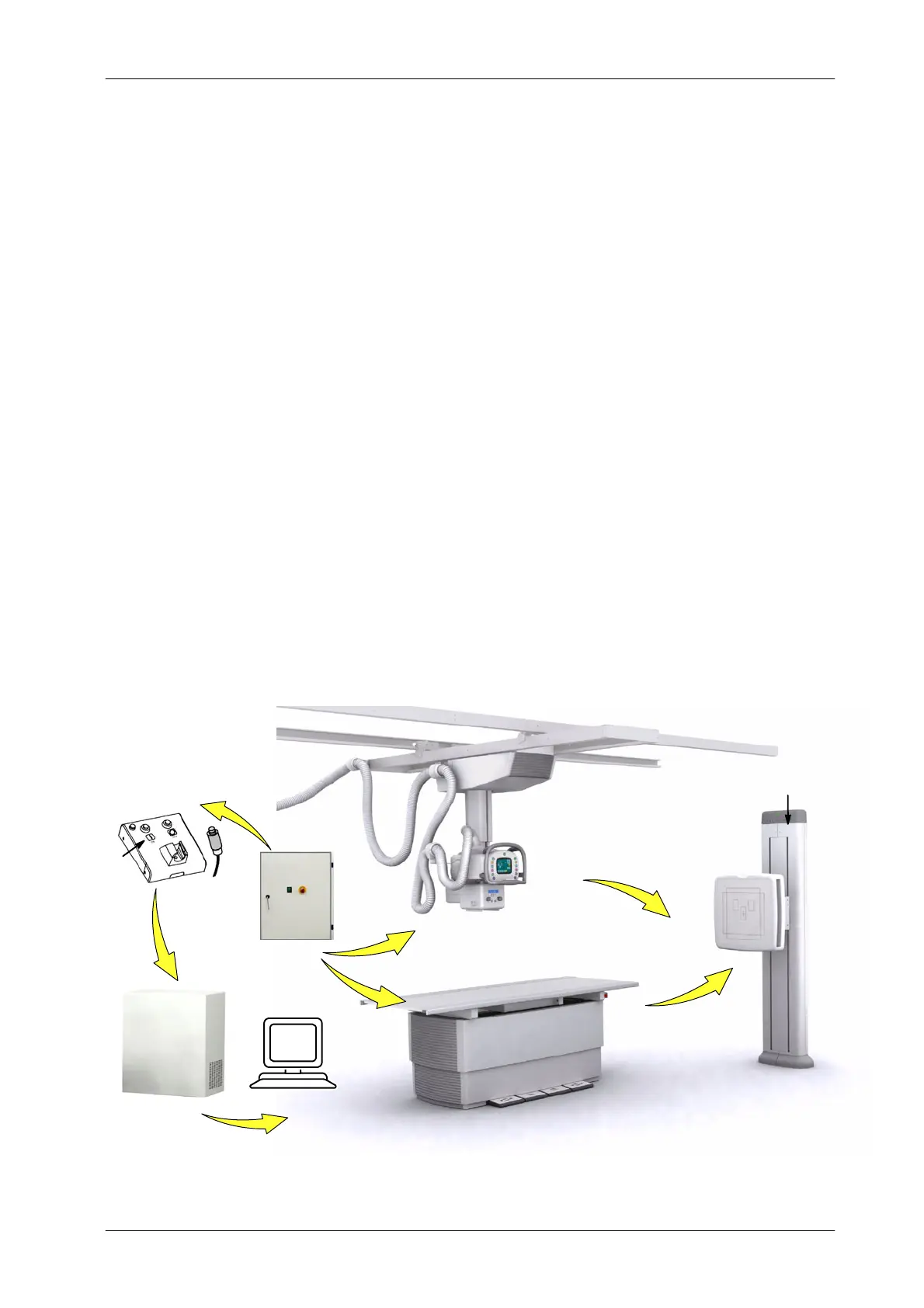
TO TURN THE SYSTEM ON
1. Turn ON the Room Electrical Cabinet Switch. The Emergency OFF
Switch must not be activated.
2. The RAD Table, RAD Wall Stand and Ceiling Suspension turn ON. RAD
Wall Stand ON/OFF Indicator turns ON (green lighted).
3. Press the X-ray Generator Control ON button. ON Indicator turns ON
(green lighted).
4. Turn ON the NX Workstation.
Illustration 3-1
Start Up sequence
X-ray Control
ON
Generator
RAD Table
RAD Wall Stand DR
Ceiling Suspension
ON/OFF Indicator
NX Workstation
Room
Electrical Cabinet
1
3
2
2
3
4
2
2
* Single Panel
* Double Panel



 To Next Page