DX- D 600
User Manual
0242F EN 20181218
62
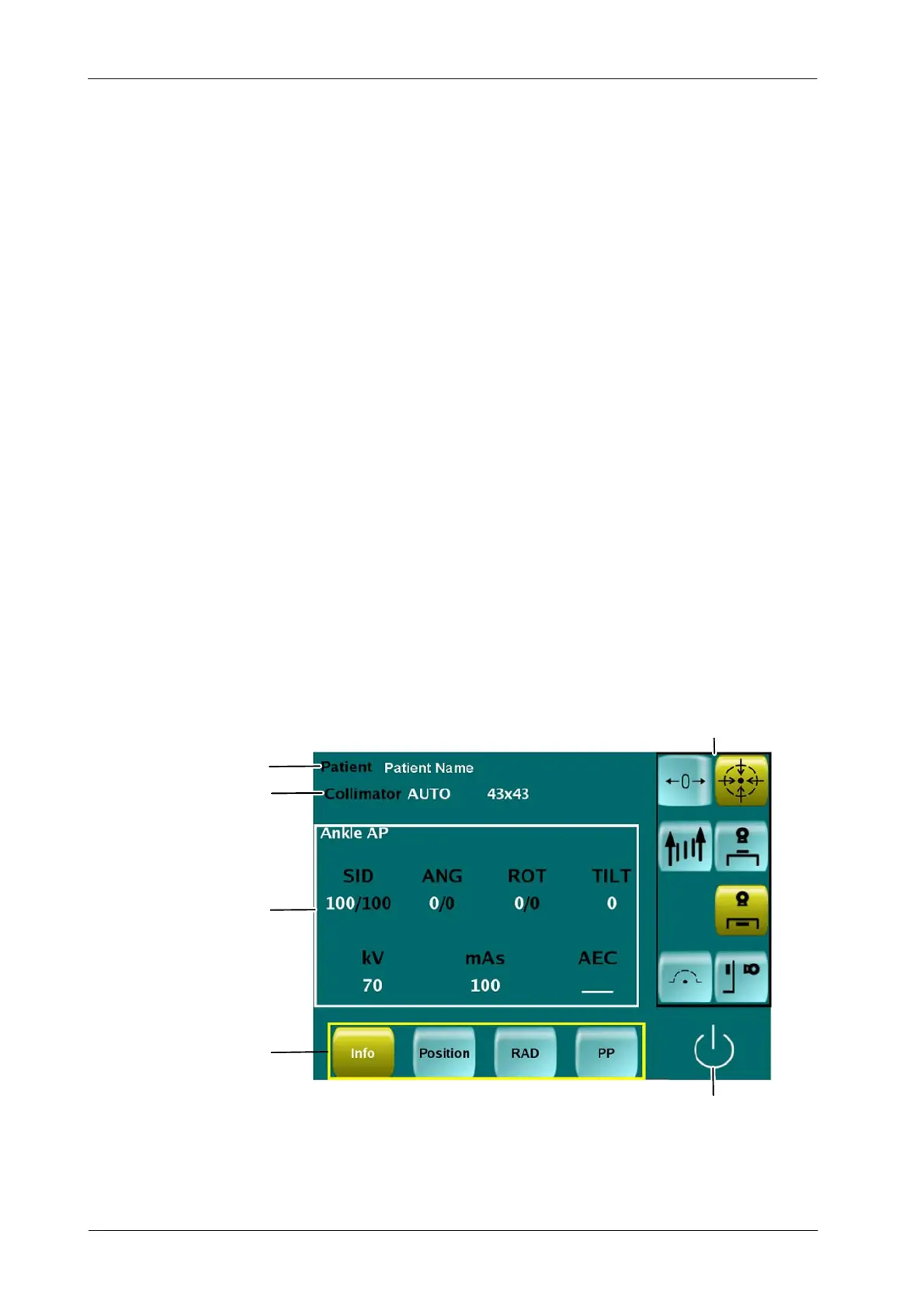
The Touchscreen interface is composed by the next data areas:
PATIENT INFORMATION. Patient Name is displayed.
COLLIMATOR. Mode and configuration of the collimation indicator.
MOVEMENTS & WORKSTATIONS. Select the Workstation and
activate/deactivate the automatic movements.
CEILING SUSPENSION (CS) STATUS. Check the Ceiling Suspension
status.
EXPOSURE CONFIGURATION AREAS. Press to select the area to be
configured.
DATA AREA. Check and modify according to the available Area.
Depending on the selected Exposure Configuration Area the displayed
parameters change.
Depending on the Ceiling Suspension Configuration some of the
Configuration Areas might not be displayed on the Touchscreen
Console.
Illustration 4-6
Touchscreen Initial Display
Patient Information
Collimator
Exposure Data Area
Movements & Workstations
CS Status
Exposure Configuration Areas
Note .



 To Next Page