DX- D 600
User Manual
0242F EN 20181218
80
4.2.3.5 X- RAY INTERLOCK
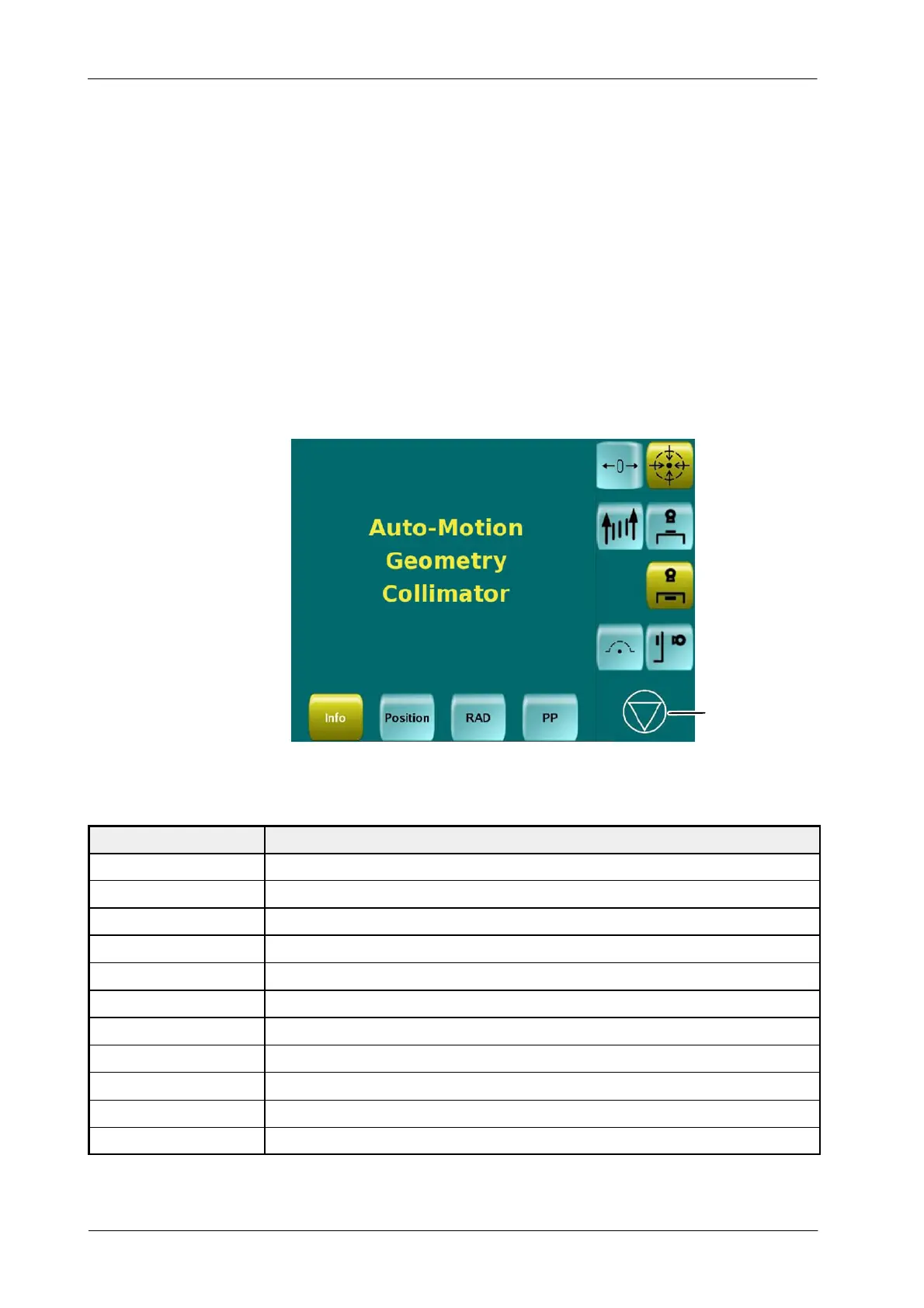
The X-ray INTERLOCK Indicator appears at the bottom of the Console on the
Ceiling Suspension Status Area. Once the interlock is activated it is not possible
to make any exposure, press on the Indicator to get information about the
causes of the Interlock.
Causes of the Interlock activation are displayed in the Control Console, or press
the Interlock Indicator to get them displayed again.
Illustration 4-18
X- ray Interlock Status
Interlock Indicator
The causes can be different ones at the same time, not just one, get all of them
corrected to deactivate the X-ray Interlock:
MESSAGE DESCRIPTION
MANUAL-MOTION The Suspension is being moved manually.
AUTO-MOTION The Suspension is moving automatically (Auto-positioning, Auto-tracking, Auto-centering, etc.).
NO-DETECTOR The Detector is not inserted.
NO -SID No SID available. The Suspension is not pointing to the Detector , or too far from it.
GEOMETRY No SID available. The Suspension is not pointing to the Detector.
COLLIMAT OR Collimator is in BUSY Mode.
GRID-SID Current SID out of configured range for the Grid.
MODALITY Selected Study (Stitching, Tomography, etc.) not available.
DETECTOR-MISMATCH Different W orkstations selection on Suspension and Generator
STITCHING The Suspension is carrying on a Stitching procedure.
NO -TRAY Tray is out from the DR Detector.



 To Next Page