English
9
PROCESSOR PROGRAMMING
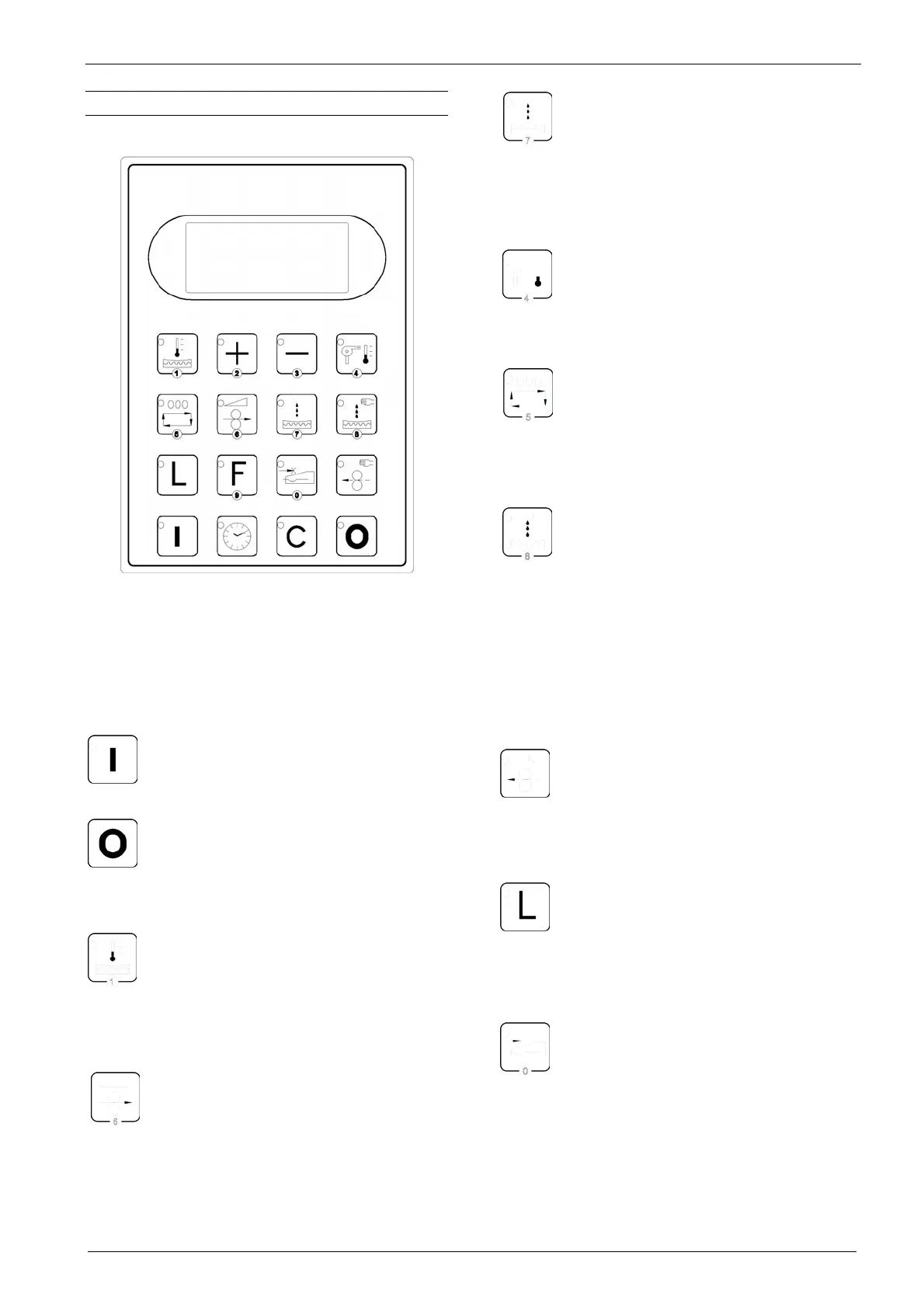
CONTROL PANEL
Figure 2
This section describes the functions of the
various keys present on the keyboard:
START: Press this key to start the
machine in standby mode;
STOP: Press this key to stop the
machine function. A default message
will appear on the display with the
current time;
DEVELOPER TEMPERATURE: Press
this key to see the set temperature (in
C° or F°). It is possible to vary the set
data by pressing the + or - key within 3
seconds;
ROLLER SPEED: Press this key to
see the set plate advance speed
(cm/min) and to vary the set data by
pressing the + or - key within 3 seconds;
AUTOMATIC REPLENISHMENT: The
developer will enter a set amount of
liquid for each plate. Press this key to
see the set replenisher quantity (ml/m
2
). It is
possible to vary the set data by pressing the +
or - key within 3 seconds;
DRYING TEMPERATURE: Press this
key to see the set temperature (°C or
°F). It is possible to vary the set data
by pressing the + or - key within 3 seconds
PLATE COUNTER: Indicates the
number of square metres of plate
processed. Press key for value
display. To delete the value displayed press +
and – keys at the same time.
MANUAL REPLENISHMENT: Press
this key to fill the tank with replenisher
in two modes:
• if the key is pressed and released,
the LED on the key will illuminate and
a pre-set quantity of about 50 ml will
be added. When the LED is off, each
press of the key will add this amount.
• if the key is held down, the
replenisher will be continually added.
ROLLER ROTATION REVERSAL: By
keeping this button pressed, the
machine will reverse the rotation of the
rubber roller, cancelling the work cycle in
progress;
LANGUAGE SELECTION: Press this
key to select the language used on the
display. There is a choice of the
following languages: ITALIAN – ENGLISH –
FRENCH – GERMAN – SPANISH – DUTCH;
CONDUCTIVITY METER: Press this
key to see, for 30 seconds, the value
of the developer conductivity;



 To Next Page