2.3 Charging the lithium battery
To recharge the lithium battery of the camcorder, s
y connect it to your
ter with the USB cable vided in the box (without removing the
battery). The red indicator light on the back of the camcorder will light
to indicate that the battery is being charged, and will turn off when fully
charged. You can also charge the battery by connecting the camcorder to
AC
if you have an ter to which you can connect the USB cable.
2.4 Powering on / off the camcorder
Press the Power button to turn on the camcorder. To turn it off, s
ss it again for 3 seconds. If the battery is discharged, the message
"Low
" will on the screen indicating that the camcorder will
automatically turn off in a few seconds.
2.5 Mode switching
Press the Mode button to switch between
to, video,
yback and
set
modes. The selected mode will in the left corner of
the screen as an icon.
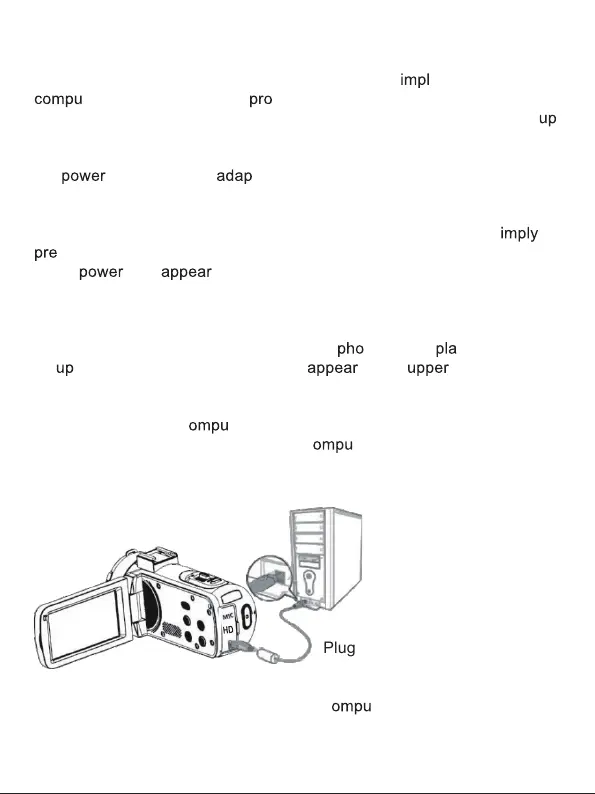
2.6 Connecting to a c
ter
By connecting the camcorder to your c
ter, you can either transfer
the files stored on the memory card (MSDC) or use it as a PC camera.
Plug the USB cable into the third
interface on the back of the
camcorder to connect it to your
c
ter.
4



 To Next Page