2.6.1 PC camera mode
Connect the camcorder to your PC as above.
The screen will then dis
y:
Press
/ Down button to choose "PC Camera" and ss OK button to
switch to PC camera mode.
2.6.2 Connecting an external mic
e
To get a better audio, you can connect an external mic
via the
MIC
t and fix it to the hot shoe if it has an ter.
2.7 Video mode
In video mode, you can shoot video c
s and store them only on the
memory card.
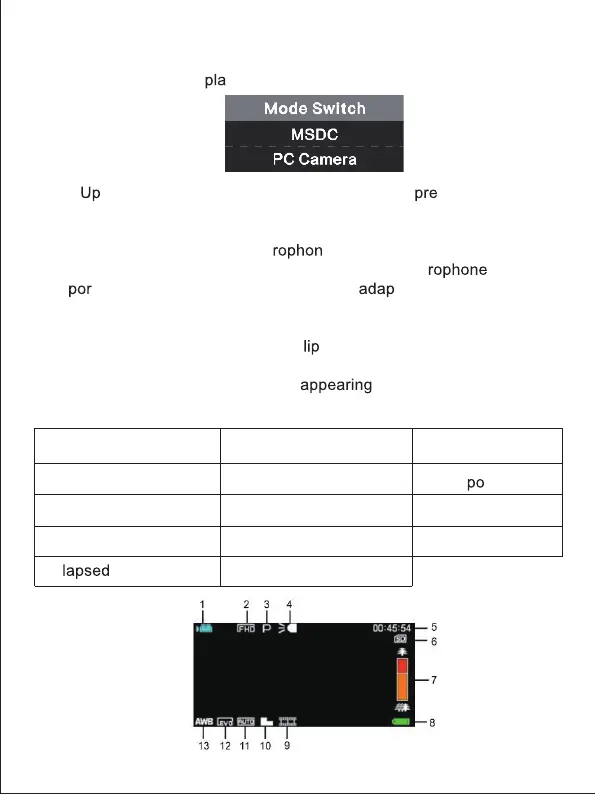
Here is the signification of each icon
on the screen in video
mode:
3. Scene
1. Video mode 6.Memory card indicator 11. ISO
12. Ex
sure
13. White balance
14. Setting menu
7.Zoom
8. Battery charge
9.Recording effect
10. Video quality
2. Video resolution
4.Indicator light
5.E
recording time
5



 To Next Page