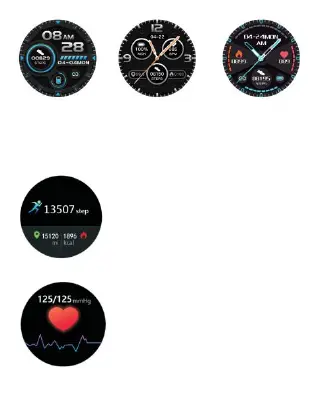
2. App: Find [Device]>[Dash Board], and click
[Custom Dial]. Choose your favorite picture as
the main interface.
⦁ Pedometer
24-hour real-time recording
your steps, walking distance,
and burned calories during
that day. Also, They can be
viewed after syncing to the
App.
⦁ Heart Rate & Blood Pressure Monitor
1. In the heart rate or blood
pressure interface, it will enter
into the real time monitoring.
2. These data will be
synchronized to the App in


 To Next Page