Start initial setup
During the initial setup, you can set the following options.
Basic Usage
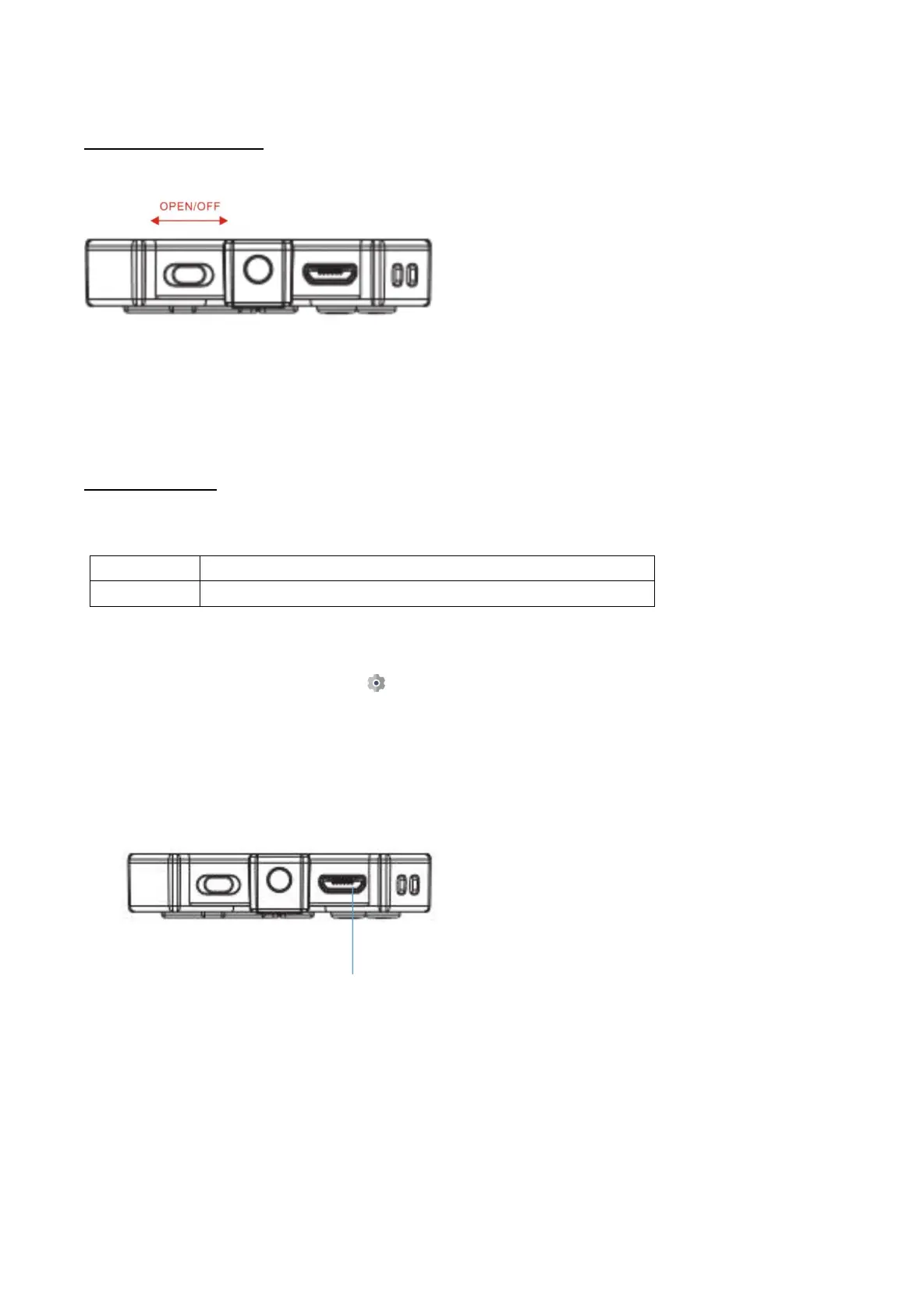
Turning on and off AGPTEK-K1:
Note: Do Not power on/off the player frequently.
To reset or format the device: Find Settings > Factory settings/Format device, choose Yes or
No to make or cancel the changes.
Note: Reset or format the device will delete all of the data in this player. Before formatting the
device, please backup the files so as not to lose any files.
Charge the player:
1. Use 5V/500mA charger only. Usually, it will need about 3 hours to charge the player.
2. Charge by computer: Connect the device to a running computer via included USB cable.
USB 2.0 port only. Usually, it will need about 3 hours to charge the player.
Note: If the charging condition doesn't meet the standard, it may cause device malfunction,
which would be regarded as man-made damage.
1.Push the slider to the left or right to power on or off the player. AGPTEK-K1 is turned on
when boot animation appeared.
2.When you turn on AGPTEK-K1 for the first time, the initial setup wizard starts. During
the initial setup, you can set the language.
Connect the player to an adapter or computer USB port via an USB 2.0
standard cable or the included data cable to charge it.



 To Next Page