Importé par :
AIC International - 44980 Ste Luce sur Loire - France
GB
Touch Radio-controlled digital clock
Instruction manual
Multifunctional digital clock with blue backlight thanks to touch screen function.
- Well readable: big display
- touch screen for backlight function
- Radio-controlled movement: easy to use
- Decorative thanks to is shinny finish
1. Features :
- Big display: height of figures 7.5 cm
- Radio-controlled : time and calendar automatically setting and changing time
summer / winter
- Multifunction :
Time
Calendar (day / month)
Indoor temperature from -10°C to + 50°C and hygrometry from 1% to 99%
Alarm
- Alternately display function : automatic changing display
- Blue backlight : touch activation (on top and bottom white frame)
- Automatic Night light function
- Wall clock or table clock
- Material : ABS
- Size: about 28*3.1*19.5 cm
- Operates with 3 AA batteries (not include)
2. Installation :
Remove smoothly the clock from unit box. Remove protective film.
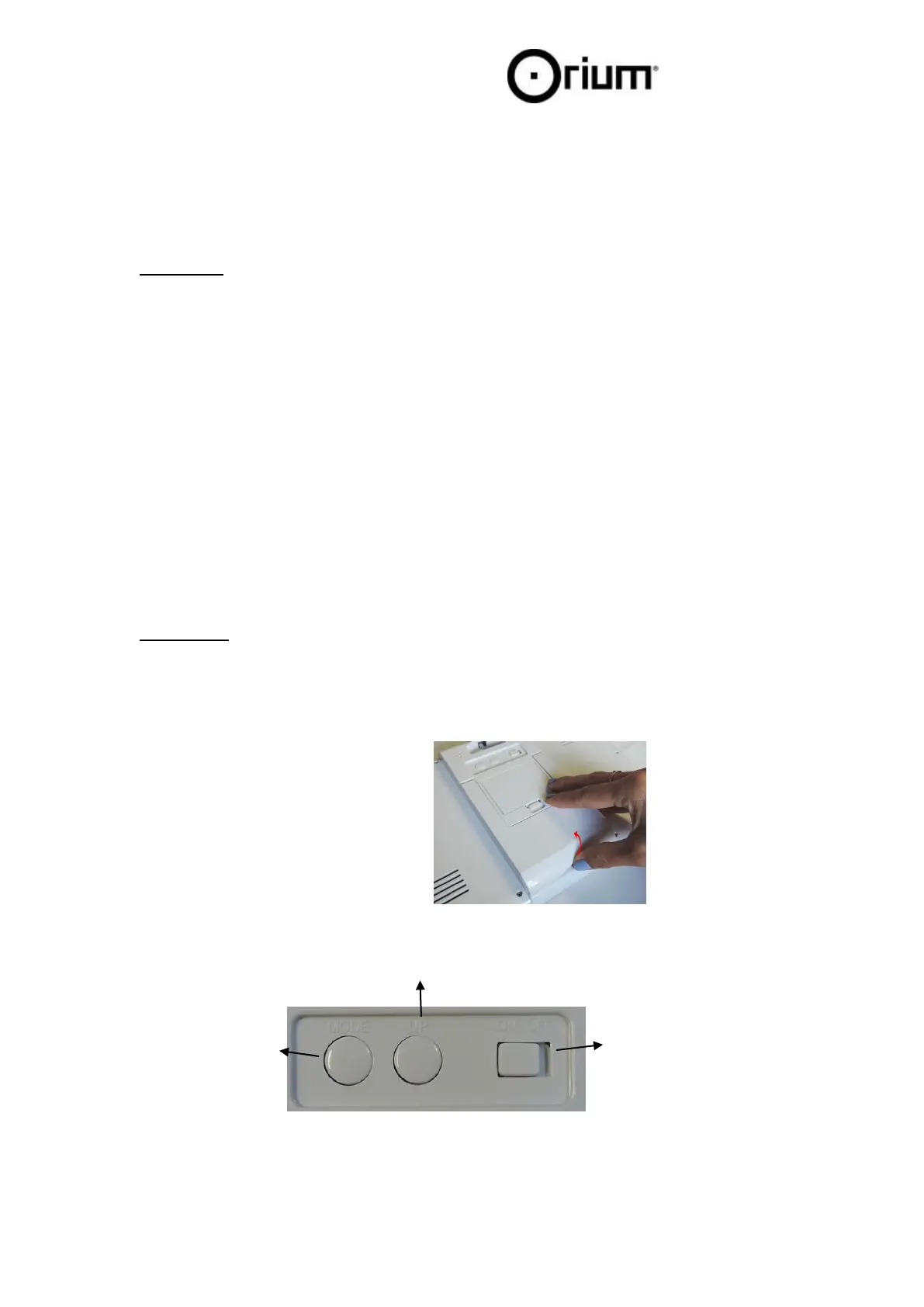
Insert batteries: open batteries compartment at the back of clock. Insert 3 AA batteries:
meet the right polarity. A wrong position might damage the product).
Then close the battery case
2 modes of use :
- As wall clock
- As table clock : Raise up the feet
ON/OFF : to
activate night
light function


 To Next Page