aigo A208 Digital Audio Player USER MANUAL
Page 23
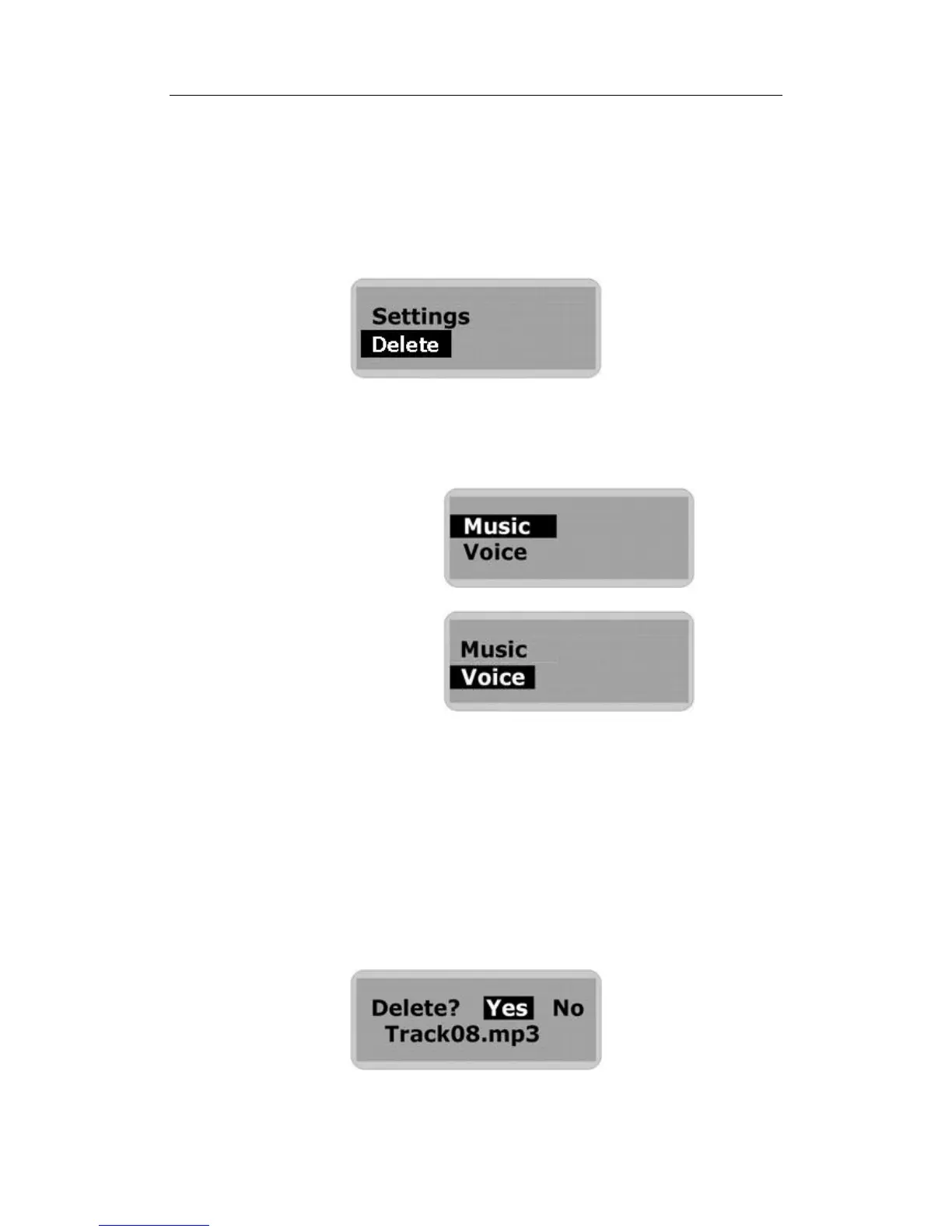
Entering the Delete mode
1. Stop playback or recording before attempting to erase any files.
2. Press the MENU button to access the Main Menu.
3. Use the Skip to Next (or Skip to Previous) button to scroll through the menu option until
“Delete” is selected.
4. Press the MENU (or PLAY) button to confirm your selection and enter the Delete mode.
You will then be prompted to specify the type of file that you wish to delete (or you can choose to
leave the Delete mode):
Ø Music (to erase music files)
Ø Voice (to erase Voice files)
Ø Exit (to exit the Delete mode)
5. Use the Skip to Next (or Skip to Previous) button to scroll through the options until the
desired option is highlighted (selected).
6. Press the MENU (or PLAY) button to confirm your selection.
7. Use the Skip to Next (or Skip to Previous) button to scroll to the track/file you wish to delete.
8. Press the MENU (or PLAY) button to confirm your selection.
You will then be asked to confirm that you want to delete/erase the currently selected music
track or voice file.



 To Next Page