!
!
!
13
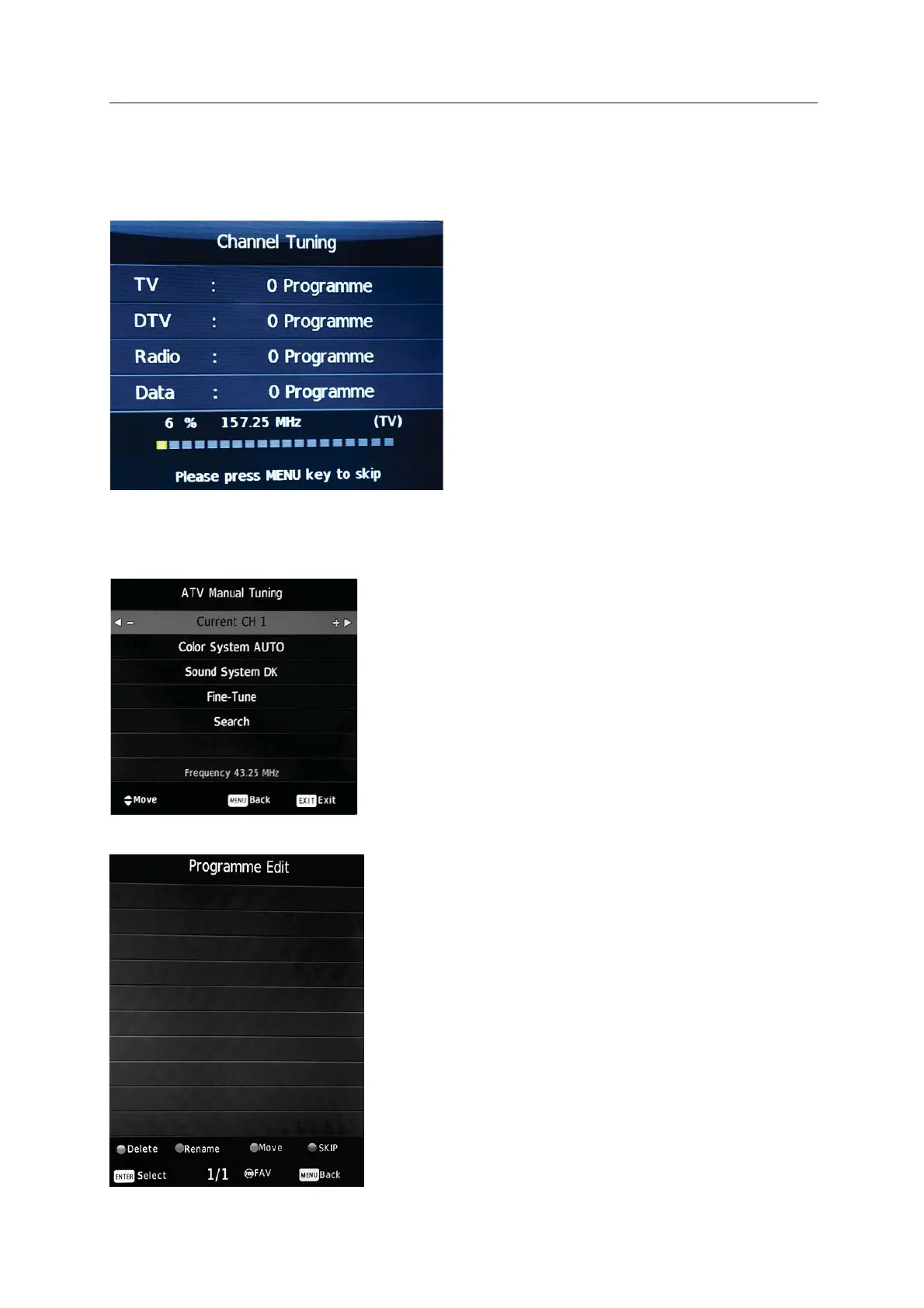
ATV Manual Tuning
Programme Edit
!
! Auto!Tuning!can! automatically.!
! Press!Ʒ/!to!select!Auto!Tuning,!then!press!ENTER!to!start.! ! !
! If!you!want!to!stop!searching,!press!EXIT. !
Auto Tuning
search for effective channels
).
channel
(Only for ATV mode).
character
change.
There! are! four! shortcut! keys! for!
programming
!
the!channels.!
First! press! /Ʒ! to! highlight! the! channel! ,!
then:!
! Delete:! ! the! channel.!
! Rename:! enter! Rename.!!!Press! !!
/"
to! select! the!word!you!want!to!!
then!press!#/$!to!select!a!!
! Move:! set!the!channel!to!moving!state!
then!
press! #/$! to! move! it! to! the! position! you!
want. !
! Skip: !skip!the!selected!!(Your!TV!set!
will! skip! the! channel! automatically! when!
using !CH+/"!
! ENTER:!Press!to!confirm.!
! Menu:!Press!to!return!to!previous!menu.!
Press to delete
Press to
!Press to
!
Press to
frequency
!
! Press!! to!search!down!from!the!current
!!and!press!" to!search!up.!
With Manual Tuning, you can search up or down and it will pause when it finds a channel.


 To Next Page