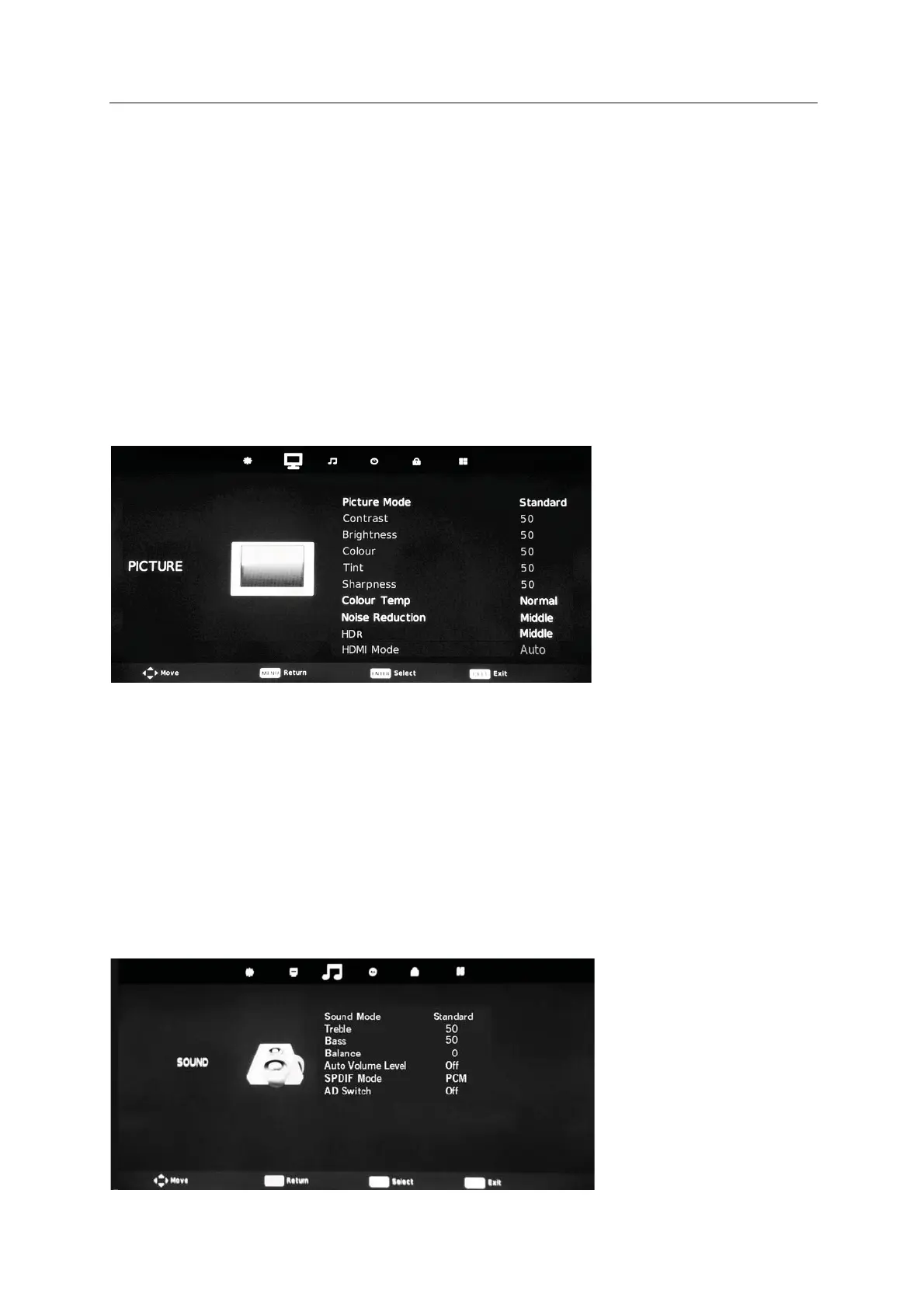
Press MENU to display the main menu, then press ENTER to select the
14
!
!SOUND. !
Sound!Menu !
!
!
Press!MENU!to! display!the!main!menu,!then!press!!!/"!to!select! !PICTURE.!!
Highlight!an !item !!press!#/$!to!
select!corresponding!sub"menu.!
Picture Menu
then
! Picture!Mode!:!Dynamic/Standard/Mild/Personal.!
!
Color!Temp:!Select!the!color!temperature!that!you!feel!comfortable.!
!
Noise!Reduction:You!can!clear!up!input!signal!by!set!the!item.!
!"#$%&'$( !"#$%& &'( )'*&( +(,(+ -. &'( /*0&$1(2
)%*+,$#-''(!" #$%& "3145(%% -. 6+304 %(0&*-5% *5 &'( /*0&$1(2
!"."%( !"#$%& &'( 0-+-1 *5&(5%*&7 -. &'( /*0&$1(2
/*#$( !"#$%& &'( '$(89(":;1((5:<+$(= -. &'( /*0&$1(8>?@A -5+7=2
0,&%1#-''(
B6#(0& ("C(% 31( (5'350(" .-1 /*0&$1( "(&3*+2
234(8D-)EF*""+(EG*C'= 2
2356 5"7-( B5+7 )-14 *5 GHFI %-$10(2
!
!
!
!
!
!
!
! Sound!Mode:!Standard/Music/Movie !/Sports/Personal !
!
Balance:!Adjust!the!level!of!sound!coning!from!the!left!and!right!speakers.!
! Auto!Volumel !When!set!on,!quick!volume!change!will!be!smoothed.!
! AD!Switch:Press!to!select!audio.!
! SPDIF!MODE:Press!to!select!Off/PCM/Auto!
Level:
(Only for DTV mode)
)&''(
!"#$%& &'( +-) .1(J$(507 %-$5"%
2
/%-8.-(
!"#$%& &'( '*C' .1(J$(507 %-$5"%2
!
!


 To Next Page