THE VIDEO CAMERA
15
SMARTYCAM HD
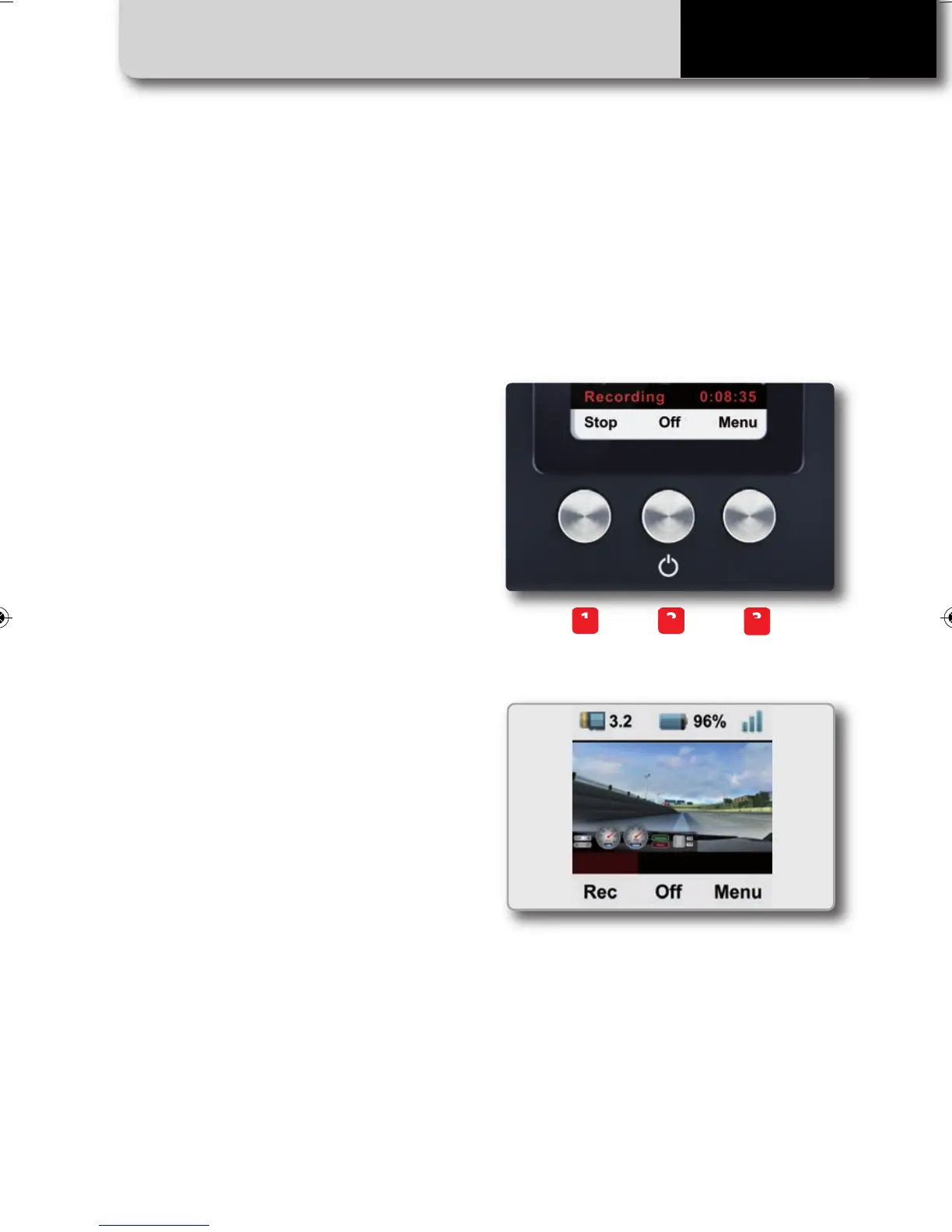
SmartyCam HD buttons and display
SmartyCam HD is managed using the
three buttons located under the display:
1, 2 and 3 in the image.
The functions of each button are shown
on the LCD screen display, immediately
above each button.
All SmartyCam HD pages are made up of
three parts:
• The “Battery and Memory Status” field is
always displayed at the top of the page;
• Specific info is displayed in the middle of
the page;
• The functions of the buttons are
displayed on the lower part the page.
3
21
SMARTYCAM HD MANUALE ENG _Layout 1 24/07/13 20.41 Pagina 16



 To Next Page