THE VIDEO CAMERA
17
SMARTYCAM HD
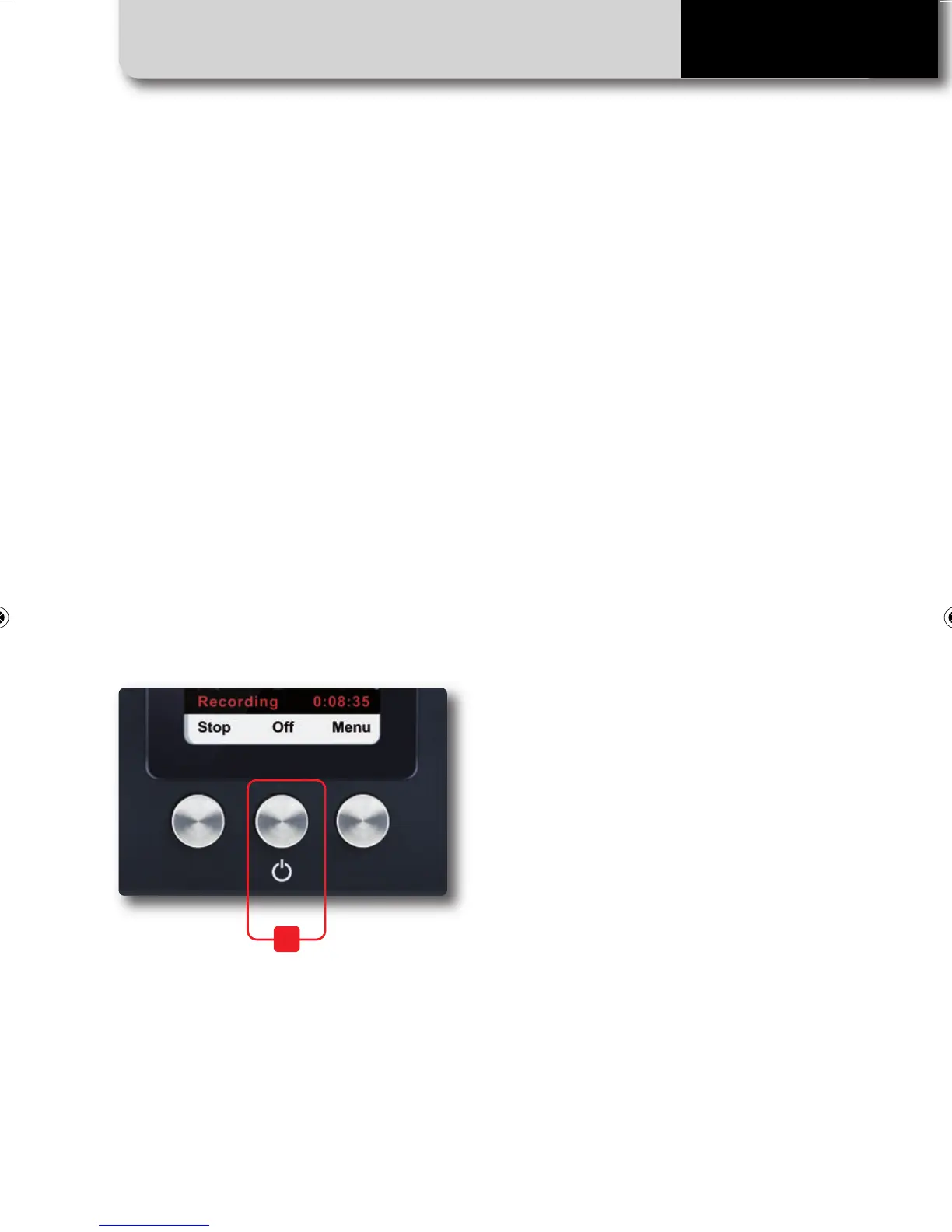
SmartyCam HD can be switched on in two
ways:
• Pressing the center (“2”) button
• Connecting the external power cable to
SmartyCam HD.
As soon as the camera detects the 12V
power on pin three of the five-pin connec-
tor (see scheme at page 44) it switches on.
SmartyCam HD On/Off
SmartyCam HD can be switched off in the
following ways:
• Pressing the center (“2”) button any time
the “Off” option is available
• Pressing the center (“2”) button for ten
seconds.
This force-shutdown option is to be used
ONLY in case the camera locks up.
• Automatic switch-off: if idle for a fixed
amount of time (no button pushed, no ac-
celeration/speed detected), SmartyCam HD
will switch off automatically.
This time period can be set by selecting
MENU>>SETTINGS>>AUTO POWEROFF
Available options are: 15 min, 30 min, one
hour, and two hours.
2
SMARTYCAM HD MANUALE ENG _Layout 1 24/07/13 20.41 Pagina 18



 To Next Page