THE VIDEO CAMERA
19
SMARTYCAM HD
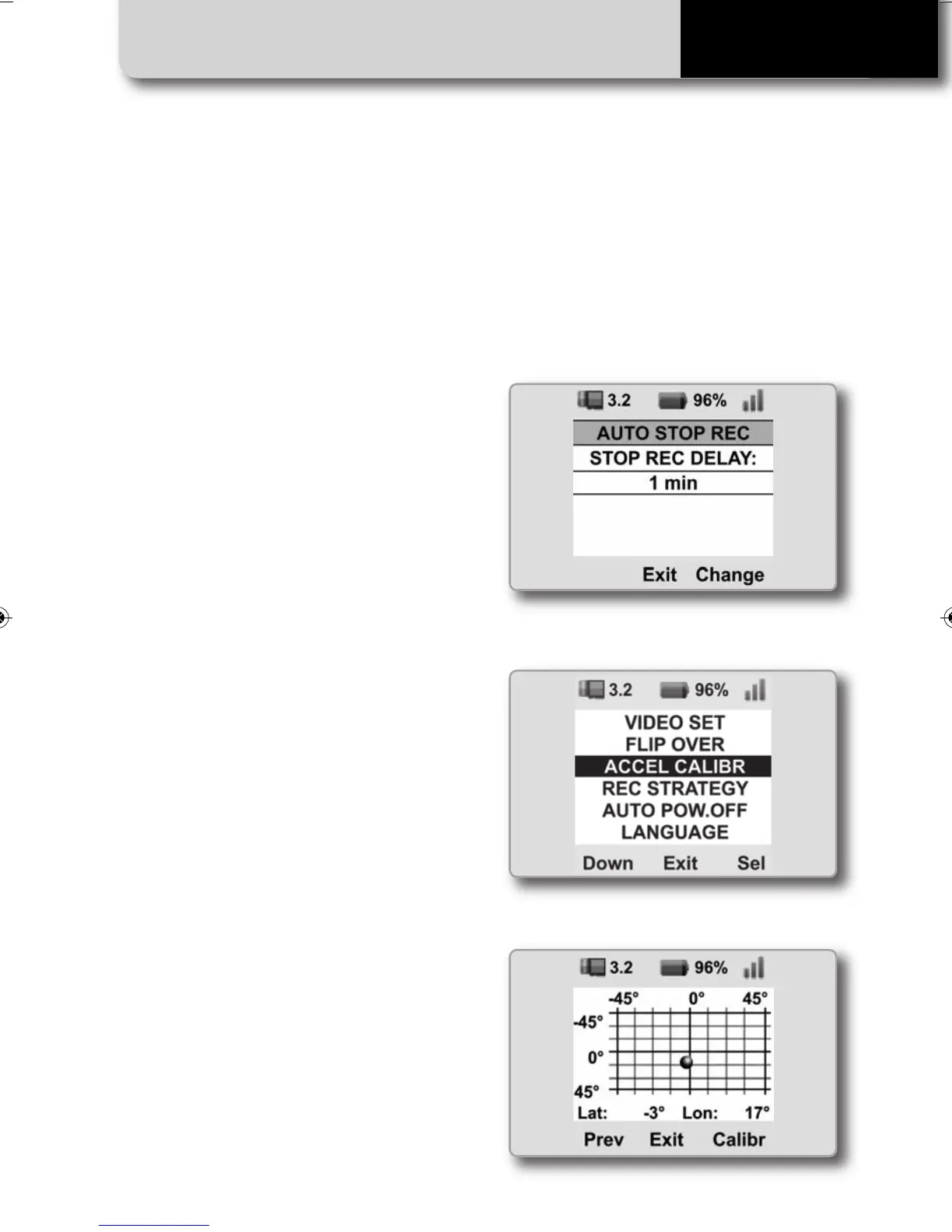
The video file is closed when the accelera-
tion remains under a threshold for a period
of time.
This time period may be configured by
selecting
MENU>>SETTINGS>>AUTO STOP REC
After having installed your SmartyCam HD
on the vehicle, the accelerometers must be
calibrated by selecting
MENU>>SETTINGS>>ACCEL CALIBR
Then click “CALIBR”
SMARTYCAM HD MANUALE ENG _Layout 1 24/07/13 20.41 Pagina 20



 To Next Page