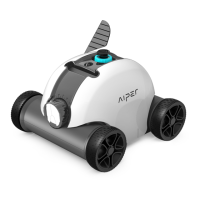
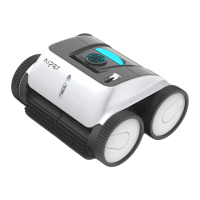
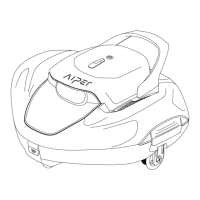
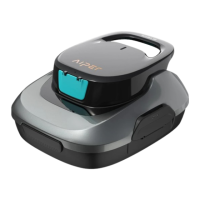
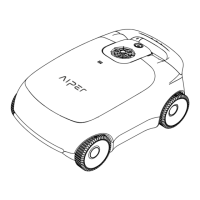
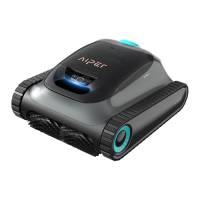
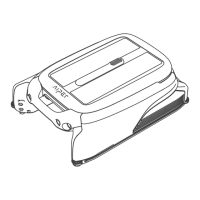
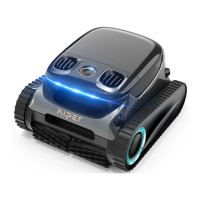
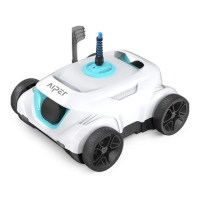
The Aiper Seagull 600 is a robotic pool cleaner designed for efficient and convenient pool maintenance. This environment-friendly device is a rechargeable automatic cleaner that filters pool water without the need for water replacement.
Function Description
The primary function of the Aiper Seagull 600 is to autonomously clean swimming pools by filtering out debris and maintaining water quality. It operates by moving across the pool floor, collecting dirt and particles into its filter tray. The cleaner is designed to reverse direction automatically upon contact with a wall, ensuring comprehensive coverage of the pool area. Once its cleaning cycle is complete, it stops running and can be easily retrieved from the water.
Important Technical Specifications
- Model: Seagull 600
- Rated Working Voltage: 11.1V
- Power: 30W
- Run Time: Approximately 50 minutes
- Charger Input: 100~240V, 50/60Hz
- Charger Output: 12.6V/1A
- Battery Capacity: 2600mAh
- Charging Time: 3~4 Hours
- Pool Size Compatibility: Up to 538 sq.ft (50m²)
- Filter Capacity: 11.1 GPM (42 LPM)
- Filter Density: 180µm
- Moving Speed: 52.5 ft/min (16 m/min)
- Waterproof Grade: IPX8
- Pool Water Temperature Range: 50°F~95°F (10°C~35°C)
- Pool Water PH Value: 7.0~7.4
- Charging Environment Temperature: 41°F~95°F (5°C~35°C)
- Max Water Depth: 8.2 ft (2.5m)
- Product Size: 13(L)x13(W)x9.1(H) inches / 330 (L) x 330 (W) x 230 (H) mm
- Weight: 7.28 lbs (3.3kg)
- Storage Temperature: -4°F~113°F (-20°C~45°C), RH≤75%
Usage Features
The Aiper Seagull 600 is designed for ease of use with several key features:
- Rechargeable Battery: The cleaner is powered by a 2600mAh battery, offering a run time of about 50 minutes on a full charge.
- Automatic Operation: Simply place the cleaner in the pool and press the power button; it will automatically begin its cleaning cycle.
- Wall Detection and Reversal: The cleaner is equipped to detect pool walls and automatically reverse its direction, ensuring thorough cleaning.
- Floating Handle and Retrieving Hook: A floating handle allows for easy retrieval from the pool using an included hook attached to a pool pole.
- Adjustable Wheel Settings: The front and back wheels can be adjusted to customize the cleaner's running path, optimizing it for different pool shapes (e.g., round, rectangular, or longer pools). Recommended settings include:
- B-A: Maximum maneuvering (factory setting, ideal for round above-ground pools)
- B-C: Smaller rebounding angle than B-A
- C-A: Smaller rebounding angle than B-C
- C-C: Minimum maneuvering (for rectangular or longer pools)
- Scrapers: The cleaner includes scrapers that can be installed to enhance the suction effect, improving cleaning performance.
- Buzzer Note: The device features a buzzer that sounds if it is not fully immersed in water when powered on, stopping once fully submerged. It also buzzes when lifted out of the pool, indicating it's time to power off.
Maintenance Features
Maintaining the Aiper Seagull 600 is straightforward, focusing on ensuring its longevity and optimal performance:
- Filter Tray Cleaning: After each use, the filter tray should be cleaned and washed to remove collected debris. The cleaner's top cover can be opened by clips, and the filter tray can be easily removed for cleaning.
- Charging Port Care: The charging port should be cleaned before charging. It is crucial to ensure the charging socket is dry before connecting the charger.
- Battery Maintenance: For long-term storage, the cleaner should be charged every three months to maintain battery life between 40%-60%. Only the original and authorized power adapter should be used. Failure to charge for extended periods can lead to battery over-discharge and fatal damage.
- Proper Storage: Store the cleaner in a cool, ventilated place, away from direct sunlight and heat sources. When charging, keep it in a cool place and do not cover it to prevent overheating of internal electrical components.
- Chassis and Top Cover Assembly: Ensure the top cover is tightly assembled to the chassis, aligning the arrow position near the cover buckle with the hole position near the chassis buckle to prevent damage to the pins.
- Charging Pin Maintenance: To prevent corrosion due to electrolysis, wipe the charging pin clean and dry with a paper towel or cotton swab after each use, allowing moisture to dry out for a few minutes before charging. If corrosion occurs, the driver kit may need replacement.

 Need help?
 General

 To Next Page