EasyManua.ls Logo

Aiphone Chime Com 2 - Page 3

Aiphone Chime Com 2
4 pages
Print Icon
To Next Page IconTo Next Page
To Previous Page IconTo Previous Page
Loading...
3
INSTALLATION
&
WIRING
When
replacing
an
existing
doorbell:
Check
to
see
how
the
existing
doorbell
Is
wired.
DIAGRAMS:
Existing
Doorbell,
method
1
DOOR
BELL
Method
1:
If
there
are
only
two
matching
colored
wires
located
at
the
existing
inside
bell,
the
AC
transformer
was
likely
wired
in
series
with
the
bell
and
button.
If
so,
take
the
wires
off
of
the
AC
transformer
and
splice
them
together,
making
a
continuous
wire
to
the
bell.
Measure
the
AC
voltage
with
a
volt
meter.
However,
Aiphone
is
not
responsible
for
any
damage
caused
by
power
surge.
Two
additional
wires
must
be
run
from
the
transformer
to
the
location
where
the
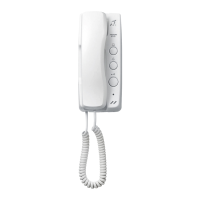
CC-1M
room
station
will
be
installed.
The
two
wires
from
the
doorbell
button
must
be
connected
to
the
RED/BROWN
wires
of
the
CC-1M,
with
NO
AC
voltage
on
the
wires.
Two
wires
from
the
AC
transformer
connect
to
the
WHITE
wires
of
the
CC-1M
room
station.
Remove
the
doorbell
button
outside
and
reconnect
the
two
wires
to
the
RED/BROWN
wires
on
the
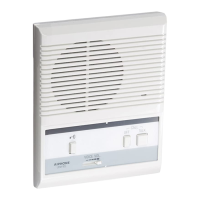
CC-DA.
Mount
CC-DA
to
wall.
When
replacing
an
existing
doorbell:
Existing
Doorbell,
method
2
or
New
Installation:
DOOR
BELL
r
L
Spliced
AC
trans
together
4
CC-DA
CC-1M
W
-
Red
[k:
-
Brown
White
r
White
L
>
O
Method
2:
If
there
are
two
matching
colored
wires
connected
to
the
bell,
and
two(or
more)
additional
matching
colored
wires
spliced
together
but
not
connected
to
the
bell,
then
there
are
likely
enough
wires
to
connect
the
Chime
Com
2
without
running
new
wire.
1.
Take
wires
off
of
bell,
and
separate
the
wires
that
are
spliced
together.
2.
Locate
the
bell
transformer
currently
installed,
disconnect
it
from
the
existing
bell,
and
measure
the
AC
voltage
with
a
volt
meter.
However
Aiphone
is
not
responsible
for
any
damage
caused
by
power
surge.
Connect
the
pair
from
the
AC
transoformer
to
the
WHITE
wires
on
the
CC-1
M.
Connect
the
other
pair
of
wires
(which
go
to
the
door)
to
the
RED/BROWN
wires
on
the
CC-1
M.
3.
Outside,
remove
the
doorbell
button,
and
connect
the
two
wires
to
the
CC-DA
door
station,
then
mount
on
the
wall.
NOTE:
When
the
inside
room
station
is
to
be
installed
in
a
different
location,
splice
wires
from
the
existing
doorbell
location
and
run
new
wire
to
the
desired
location
for
the
new
room
station.
Either
leave
the
existing
doorbell
on
the
wall
but
disconnected,
or
remove
it
and
patch
the
wall
as
needed.
How
to
measure
AC
no-load
voltage
Primary
input
Turn
off
circuit
breaker
powering
AC
transformer,
and
disconnect
secondary
output
wires.
Turn
circuit
breaker
back
on,
and
measure
secondary
output
terminals
with
a
volt
meter.
If
the
reading
is
between
12-20V,
it
can
be
used
to
power
the
CC-1M.
If
you
cannot
safely
perform
this
function,
or
if
the
transformer
does
not
meet
the
specification,
install
a
standard
AC
outlet
and
use
the
Aiphone
PT-1210N
plug-in
transformer.
Power
supply
The
power
source
for
the
CC-1M
must
meet
the
following
specifications:
AC
no-load
voltage:
Min.
12V,
Max.
20V.
UL
LISTED
and
Class
2
rated
or
marked.
Ratings:
12-16V
AC,
10VA
or
more.
Second
room
station
Another
CC-1M
station
can
be
added
to
the
system.
It
requires
a
separate
power
supply,
and
is
to
be
wired
(polarized)
from
the
first
inside
station
(not
the
door).
-
3
-

Related product manuals