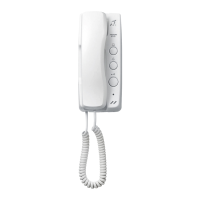
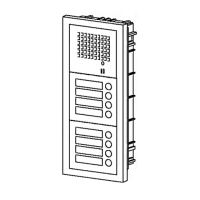
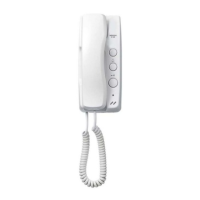
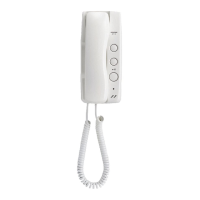
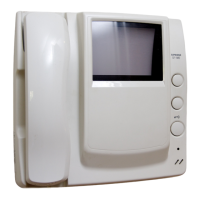
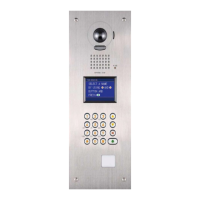
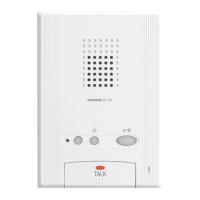
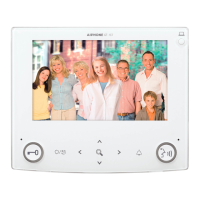
The Aiphone GF-NS is a digital name scrolling apartment intercom system, designed for communication and access control in multi-unit dwellings. It consists of the GF-NS name scroll module and the GF-10K digital keypad module.
Function Description:
The GF-NS system facilitates communication between visitors and residents, allows for door release, and provides a digital display for name scrolling and system messages.
- Name Scrolling Module (GF-NS):
- LCD Display: Shows names, system messages, and programming menus.
- CANCEL (or decide & back) button: Used to cancel an action, go back in a menu, or confirm a selection.
- SCROLL backward or move cursor to left button: Navigates backward through names or moves the cursor to the left during input.
- SCROLL forward or move cursor to right button: Navigates forward through names or moves the cursor to the right during input.
- CALL (or decide & next) button: Initiates a call to a resident or confirms a selection and moves to the next step.
- Digital Keypad Module (GF-10K):
- *Digital keypad (1-0, , #): Used for dialing room numbers, entering access codes, and name searching.
- Letter Input: The keypad can also be used to enter letters (A-Z, O=[,][][][][][]) for name searching.
- Functions:
- Dialing Room #
- Door release by entering an Access code
- Name search with the
* key and calling
Important Technical Specifications (GF-NS/GF-10K):
- Power source: DC24V, supplied by a specified power supply.
- Current consumption: 0.07A.
- LCD display:
- Max. 16 letters for names.
- Max. 160 letters for greeting, displayed by scrolling.
- Ambient temperature: -10°C ~ +60°C (14°F ~ 140°F).
Usage Features:
Calling:
- By scrolling names:
- From the "WELCOME" screen, press the scroll buttons intermittently or hold down for 2 seconds to show names in succession.
- Once the desired name (e.g., "SMITH") and room number (e.g., "101") are displayed, press the "CALL" button.
- If there is no name, the display will show "NO ENTRY".
- By dialing Room #:
- From the "WELCOME" screen, press the room number (e.g., "101") on the keypad.
- Press the "CALL" button.
- If there is no Room #, the display will show "NO ENTRY".
- By selecting name entering alphabets:
- From the "WELCOME" screen, press the
* key to enter letter input mode.
- Enter letters (e.g., "SMITH") using the keypad.
- The system will display matching names and room numbers.
- Press the "CALL" button.
- If there is no name, the display will show "NO ENTRY: A".
Communication:
- When a call is initiated and the "CALLING SMITH" message is displayed, the apartment station resident lifts their handset.
- The system will display "IN COMMUNICATION".
- Communication can then occur.
- The channel will automatically turn off in approximately 2.5 minutes, or the resident can press the "CANCEL" button to end the call.
Activating Door Release:
- From the "WELCOME" screen, enter the Access Code (e.g., "#4567") on the keypad.
- If the code is correct, "DOOR OPEN" will be displayed.
- If the code is incorrect or there is no code, "DENIED" will be displayed.
Programming:
The GF-NS system can be programmed either by PC or directly using the GF-NS and GF-10K modules.
- Programming by PC:
- Connect a PC to the GF-NS using the supplied cable.
- Resident names can be written or changed from the PC.
- Download Programming & Alteration Method from Aiphone's Web Site: http://www.aiphone.com/
- Programming by GF-NS & GF-10K (Enter Program Mode):
- Ensure the LCD displays "WELCOME" to confirm the system is in standby.
- Enter the initial ID code (4 digits).
- Select Menu & Quit:
- The main menu includes options for: 1. SELECT LANGUAGE, 2. CHANGE ID CODE, 3. ACCESS CODE, 4. RESIDENCE INFO., 5. SET TIMER, 6. CHANGE GREETING, 7. QUIT.
- Use the scroll buttons to navigate and "DECIDE & NEXT" to select.
- Menu 1: Select language: Choose from English, Español, Français, Deutsch, Nederlands.
- Menu 2: Change ID code: Enter the current ID code, then a new 4-digit ID code.
- Menu 3: Program Access Code: Enter a 4-digit access code for up to 20 programmable IDs (01-20).
- Menu 4: Write Residence Info.: Enter the room number (3 or 4 digits) and the resident's name (e.g., "SMITH").
- Menu 5: Set input timeout timer:
- OPERATION TIMER: Set a 2-digit value (15-99) for the operation timeout.
- PROGRAM TIMER: Set a 2-digit value (30-99) for the program timeout.
- Menu 6: Change Greeting: Enter a custom greeting message (e.g., "WELCOME TO...").
- Quit: Exit programming mode.
- Forgotten ID Code: If the programmed ID code is forgotten, turn switch 1 on the GF-NS (front view) ON for approximately 2 seconds. The ID code will revert to the initial
*1111.
Setting Up GF System (Initial Setup):
This process involves the Audio Module (GF-DA/A) and is detailed in the GF-BC manual.
- Enter program mode by pressing the PROGRAM switch on the Audio Module (GF-DA/A).
- Lift the handset at a new Station to set it up. A talk channel is established instantly.
- Select a new resident name and press a CALL button at the entrance.
- Repeat steps 2-3 for each residence.
- To finish, press the PROGRAM switch on the Audio Module (GF-DA/A).
Maintenance Features:
- General Precautions:
- The GF system is not operable during a power failure.
- In areas with close broadcasting station antennas, the intercom system may be affected by radio frequency interference.
- Do not spray high-pressure water directly onto the GF-NS/GF-10K, as they are weather resistant but not waterproof against direct high-pressure spray.
- Do not modify or alter the equipment.
- Do not open the GF-NS/GF-10K case.
- Cleaning: Clean the equipment with a soft cloth dampened with household neutral cleanser. Never use abrasive cleaners or cloths.
- Repairs: In case the equipment does not operate properly, ask a qualified technician to correct it.
- Room # Display Option: To prevent the Room # from being displayed when a call has been placed, put switch 2 on the GF-NS (front view) to the ON position.
- Warranty: Aiphone warrants its products to be free from defects in material and workmanship for one year after delivery. The warranty covers bench repairs only and does not apply to misuse, neglect, accident, or unauthorized alterations.


 To Next Page
 Need help?
 General