EasyManua.ls Logo

Aiphone GT-1A - User Manual

Aiphone GT-1A
58 pages
Print Icon
To Next Page IconTo Next Page
Loading...
2
B
A
C
3
E
D
F
5
K
J
L
8
U
T
V
4
H
G
I
6
N
M
O
1
0
9
Y
X
W
Z
7
R
Q
P
S
WIDE
ADJUST
ZOOM
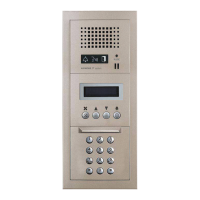
Entrance station
(modular type)
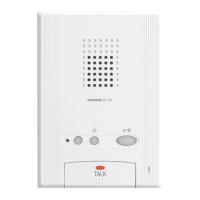
Guard station
Entrance station
(all-in-one type)
GT SYSTEM
OPERATION MANUAL
Thank you for selecting Aiphone for your communication needs. Please read this manual carefully before installation, and keep this in a safe
place for future reference.
Please note that images and illustrations depicted in this manual may differ from the actual product.
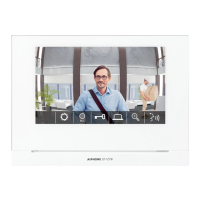
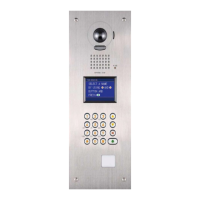
Entrance station (modular type)
Entrance station (all-in-one type)
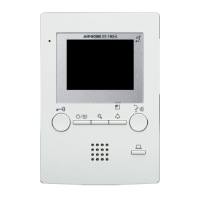
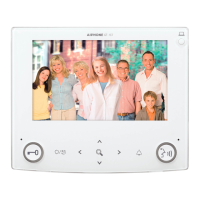
Guard station

Table of Contents

Other manuals for Aiphone GT-1A

Questions and Answers

  • D
    Dr. Joseph HernandezJul 28, 2025
    Why can't I hear anything when I press the TALK button on my Aiphone Intercom System?
    • B
      Bruce JacksonJul 28, 2025
      If you can't hear anything when pressing the TALK button on your Aiphone Intercom System, the speaker volume might be set too low. Adjust the speaker volume during communication.
  • N
    nbrooksAug 4, 2025
    How to fix the Aiphone Intercom System when the call tone doesn't sound?
    • S
      Stephanie WhiteAug 5, 2025
      If the call tone isn't sounding from the entrance or door station/doorbell on your Aiphone Intercom System, the call tone volume might be set to “OFF”. Try adjusting the call tone volume.
  • B
    bthomasAug 11, 2025
    What to do if Aiphone GT-1A Intercom System communication is interrupted?
    • T
      Timothy FigueroaAug 11, 2025
      If communication on your Aiphone Intercom System is interrupted or becomes one-way, loud sounds around the station, entrance, or door station might be the cause. Because of auto-voice actuation, audio may be interrupted when a surrounding sound is loud. Press and hold the TALK button to enable the push-to-talk function.
  • J
    Jennifer StephensAug 19, 2025
    Why is the Tone off LED flashing on my Aiphone Intercom System?
    • E
      Elizabeth HernandezAug 20, 2025
      If the Tone off LED is flashing on your Aiphone Intercom System during standby, it indicates that the call tone volume switch is set to "OFF". To resolve this, change the call tone volume level.

Summary

Aiphone GT System Operation Manual

Precautions and Safety Guidelines

Covers critical safety warnings, general precautions, and important operational notices.

System Configuration and Manual Usage

Explains system setup, calling coverage, and how to use the manual's conventions.

Entrance Station

Part Names, Functions, and Indicators

Details components of modular and all-in-one entrance stations, including indicators.

Operations

Covers calling units, door release, and other operational procedures for entrance stations.

Guard Station

Components and Basic Operations

Details guard station parts, functions, receiving calls, and initial calling procedures.

Advanced Operations and Settings

Covers communication, monitoring, other functions, and station settings.

Resident Information Management

Refers to manuals for resident information updates.

Proper Use, Compliance, and Warranty

Technical Precautions and Care

Provides usage advice, cleaning instructions, and service contact information.

Product Specifications

Lists technical details and dimensions for various station components.

Software License and Regulations

Outlines software license terms and regulatory compliance information.

Product Warranty Information

Details the warranty period, terms, and conditions for Aiphone products.

Aiphone GT-1A Specifications

General IconGeneral
Product typeSpeaker module
Mounting typeSurface
Product colorGrey, White
Brand compatibilityAiphone

Related product manuals