85
Settings and Adjustments
Configuring the device on a PC
4
Monitor
Entry Description Settings Default values
Monitored Notification
Tone
Configure the tone that is heard when
monitoring from another station starts.
• None
• Call Pattern1
• Call Pattern2
• Call Pattern3
• Call Pattern4
• Call Pattern5
• Call Pattern6
• Tremolo Sound
• Busy Response Tone
• On Hold
• Operation Sound
• Error
• Pre Tone1
• Pre Tone2
• Pre Tone3
• Communication End
Pretone
• Call Queue Notification
• Waiting Reply Tone
• Select from the audio
sources registered in
“Custom Sound Registry
(→page 52)”.
None
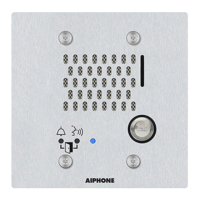
Monitored LED
Notification
Configure whether the Status indicator
flashes blue when monitoring from another
station starts.
•ON
• OFF
OFF


 To Next Page